
How to Build Habit Tracker in Notion
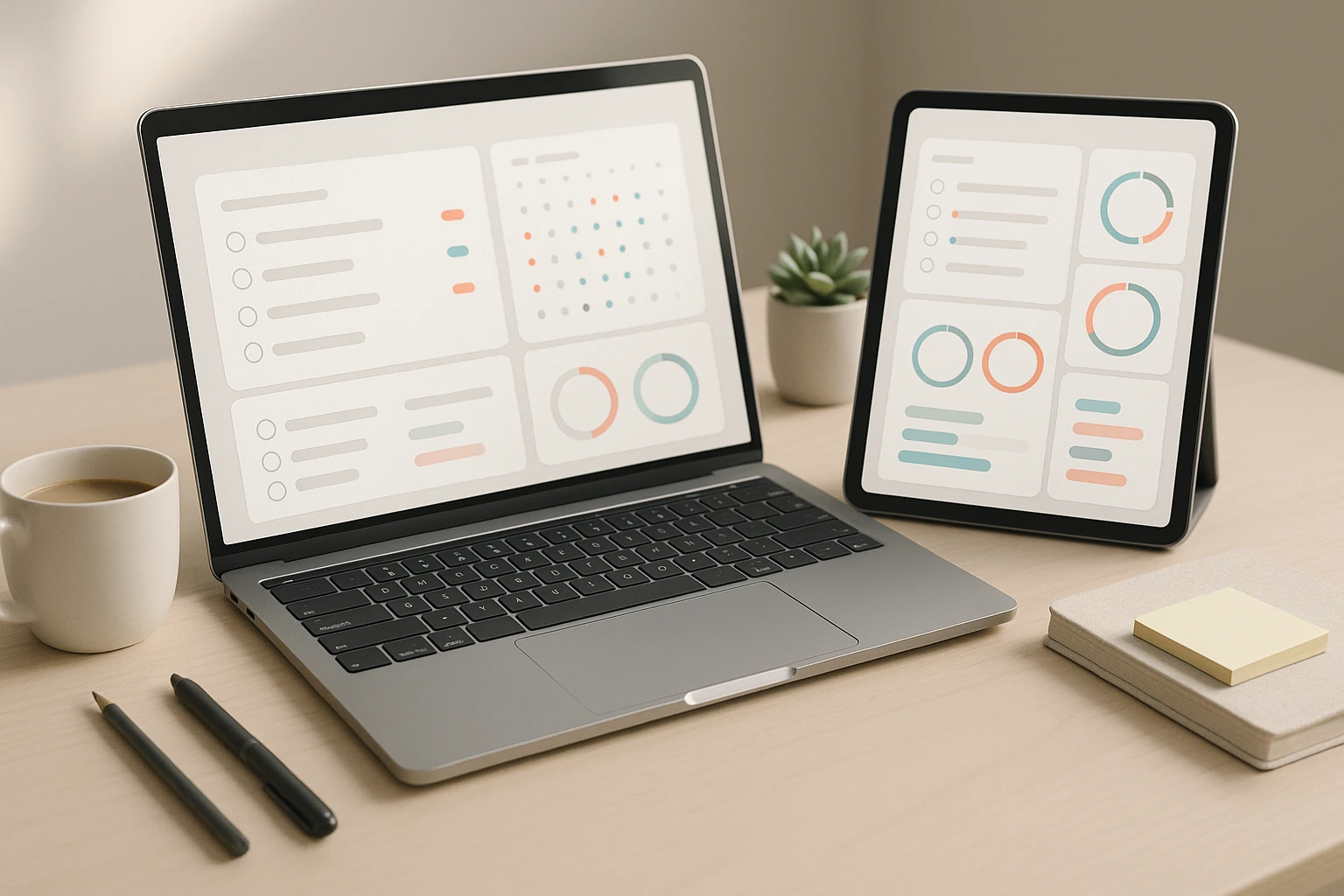
How to Build Habit Tracker in Notion
Building consistent habits remains one of the most powerful ways to transform your life, yet tracking them effectively often becomes a challenge in itself. Many people start with enthusiasm, only to abandon their tracking systems within weeks because they're either too complicated, too rigid, or disconnected from their daily workflow. The right habit tracking system doesn't just record your progress—it motivates you, provides insights, and seamlessly integrates into your existing routines.
A habit tracker in Notion is a customizable digital system that allows you to monitor your daily behaviors, visualize your progress, and maintain accountability over time. Unlike pre-built apps with fixed structures, Notion offers the flexibility to design a tracking system that matches your specific needs, whether you're focusing on health, productivity, learning, or personal development. This approach combines the power of databases, formulas, and visual elements to create something uniquely yours.
Throughout this guide, you'll discover multiple methods for building habit trackers in Notion, from simple checkbox systems to advanced database solutions with streak counters and progress visualizations. You'll learn how to structure your tracker for maximum effectiveness, implement automation features that reduce manual work, and customize the design to keep you engaged. Whether you're a Notion beginner or an experienced user looking to optimize your system, you'll find practical strategies that you can implement immediately.
Understanding the Foundation of Habit Tracking
Before diving into the technical aspects of building your tracker, understanding the psychology behind habit formation will help you create a more effective system. Habits form through a loop of cue, routine, and reward, and your tracking system should support each element of this cycle. The act of checking off a completed habit serves as both a reward and a visual reminder of your commitment.
Research consistently shows that people who track their behaviors are significantly more likely to achieve their goals than those who don't. The simple act of recording creates awareness, and awareness drives change. Your Notion tracker becomes a mirror reflecting your daily choices, making it harder to ignore patterns and easier to celebrate progress.
"The most effective habit tracking systems are those that require minimal effort to maintain while providing maximum insight into your behavioral patterns."
When designing your tracker, consider the balance between comprehensiveness and simplicity. Tracking too many habits simultaneously often leads to overwhelm and abandonment, while tracking too few might not capture the full picture of your growth. Most successful habit trackers focus on three to seven key behaviors, allowing for meaningful change without cognitive overload.
Essential Components Every Habit Tracker Needs
Every effective habit tracker, regardless of complexity, should include certain fundamental elements. First, you need a clear list of the habits you're tracking, with each one defined specifically enough that there's no ambiguity about whether you've completed it. "Exercise more" is vague; "complete 20 minutes of cardio" is actionable and measurable.
Second, your system requires a time-based structure, typically organized by days, weeks, or months. This temporal framework allows you to see patterns across time and identify which days or circumstances make habit completion easier or harder. Most people find daily tracking most effective, as it provides immediate feedback and maintains top-of-mind awareness.
Third, you need a visual representation of your progress. Humans are visual creatures, and seeing a chain of completed days or a rising percentage creates psychological momentum. Notion offers multiple ways to visualize progress, from simple checkbox grids to calculated progress bars and charts.
- Habit definitions: Clear, specific descriptions of each behavior you're tracking
- Tracking mechanism: Checkboxes, numbers, or other input methods for recording completion
- Date structure: Daily, weekly, or monthly organization for temporal tracking
- Visual feedback: Progress indicators that show your consistency at a glance
- Reflection space: Areas for notes about challenges, insights, or contextual factors
Building Your First Simple Habit Tracker
The simplest habit tracker in Notion requires nothing more than a page with checkboxes. This approach works beautifully for beginners or anyone who prefers minimalism over complexity. Create a new page in your Notion workspace and title it something motivating like "Daily Wins" or "Habit Builder." The psychological impact of your tracker's name shouldn't be underestimated—choose something that energizes rather than judges.
Start by listing your habits as headings or bold text, leaving space underneath each one. For each habit, create a series of checkboxes representing the days of the week or month. You can type /todo to quickly insert a to-do item, or simply type [] and Notion will convert it to a checkbox. Arrange these in rows or columns depending on your visual preference.
This basic system provides immediate satisfaction through the act of checking boxes, which triggers a small dopamine release in your brain. The visual accumulation of checked boxes creates a "don't break the chain" effect, where the motivation to maintain your streak becomes self-reinforcing. Many people find this simple approach sufficient for their needs, proving that effectiveness doesn't always require complexity.
Adding Structure with Toggle Lists
To keep your tracker organized without overwhelming your page, consider using toggle lists to hide completed weeks or months. Create a toggle for each week by typing /toggle, then nest your daily checkboxes inside. This collapsible structure keeps your current week prominent while archiving past progress in an accessible but unobtrusive way.
Within each toggle, you can add additional context like weekly goals, reflections on what worked well, or challenges you faced. This transforms your tracker from a simple checklist into a learning document that captures not just what you did, but the circumstances and insights surrounding your habits. Over time, these notes become invaluable for understanding your patterns and optimizing your approach.
"Simplicity in design often leads to consistency in execution, and consistency is the only thing that matters when building lasting habits."
Creating a Database-Powered Habit Tracker
Once you're comfortable with basic tracking, upgrading to a database system unlocks powerful features like filtering, sorting, automatic calculations, and multiple views. A database approach treats each day or each habit instance as a separate entry, allowing for much more sophisticated tracking and analysis. This method requires more initial setup but pays dividends in functionality and insights.
Create a new database by typing /database and selecting "Table - Inline." Set up your properties to capture the information you need. At minimum, you'll want a Date property, a Select or Multi-select property for the habit name, and a Checkbox property to mark completion. Additional properties might include notes, difficulty ratings, time spent, or contextual tags like location or mood.
| Property Name | Property Type | Purpose | Example Values |
|---|---|---|---|
| Date | Date | Records when the habit was performed | 2024-01-15 |
| Habit | Select | Identifies which habit this entry tracks | Morning Meditation, Exercise, Reading |
| Completed | Checkbox | Marks whether the habit was done | ✓ or ✗ |
| Notes | Text | Captures context or reflections | "Felt energized afterward" |
| Streak | Formula | Calculates consecutive days | 7 days |
Designing Multiple Views for Different Perspectives
One of the most powerful features of database trackers is the ability to create multiple views of the same data. A table view might show all entries chronologically, while a board view could group habits by completion status or category. A calendar view displays your habits in a monthly format, making it easy to spot gaps and patterns at a glance.
To create a new view, click "Add a view" at the top of your database and select your preferred format. Each view can have its own filters and sorting rules. For example, create a "This Week" view that filters for dates in the current week, or a "Struggling" view that shows only habits with low completion rates. These customized perspectives help you focus on what matters most in any given moment.
Gallery view works particularly well for habit tracking when you add cover images or icons to each habit. This visual approach makes your tracker more engaging and easier to scan quickly. Consider using emojis or custom images that represent each habit—a 🏃 for running, a 📚 for reading, or a 🧘 for meditation. These small visual cues reduce cognitive load and make tracking feel less like work.
Implementing Formulas for Automatic Calculations
Formulas transform your habit tracker from a passive record into an intelligent system that provides insights and motivation. Notion's formula property allows you to perform calculations based on other properties in your database, enabling features like streak counters, completion percentages, and trend indicators. While formulas can seem intimidating at first, starting with simple calculations builds confidence quickly.
A basic completion percentage formula divides the number of completed habits by the total number of habit entries and multiplies by 100. If you have a Checkbox property called "Completed," your formula might look like: prop("Completed") ? "✓ Done" : "○ Pending". This simple formula adds a visual indicator that's more engaging than a plain checkbox.
"Automated tracking removes friction from the process, allowing you to focus on doing the habits rather than managing the system that tracks them."
Building a Streak Counter
Streak counters are incredibly motivating because they gamify your habit tracking and create a sense of momentum. Building one in Notion requires a more complex formula, but the payoff in motivation is substantial. The basic concept involves comparing today's completion status with previous days and counting consecutive completions.
While Notion's formula language has limitations for complex streak calculations across multiple database entries, you can create a simplified version that works within a single entry. For a more robust streak counter, consider using a rollup property that counts related entries in a linked database, or maintain a separate "Current Streak" number property that you manually increment or reset.
An alternative approach uses a relation property to link each daily entry to the previous day, then a rollup to check if that previous day was completed. This creates a chain of connections that can be counted. While this requires more setup, it provides accurate, automatic streak tracking that updates as you check off habits.
Advanced Database Architecture for Power Users
For those who want maximum flexibility and insight, a multi-database architecture separates habits from daily entries, allowing for more sophisticated tracking and analysis. This approach uses one database as a "master list" of habits with their descriptions, goals, and categories, and another database for daily logging. The two databases connect through a relation property, enabling powerful filtering and rollup calculations.
In your Habits database, each entry represents one habit you're tracking. Include properties for the habit name, description, category (health, productivity, relationships, etc.), target frequency (daily, weekly, etc.), and any specific goals or metrics. This database serves as your reference library, keeping all habit-related information organized in one place.
Your Daily Log database contains entries for each day, with a relation property linking to the Habits database. Each daily entry shows which habits you completed that day through the relation. This structure allows you to add new habits without restructuring your entire tracking system, and it makes analysis across habits much easier through filtered views and rollup calculations.
Creating a Master Dashboard
With multiple databases, a dashboard page becomes essential for bringing everything together in one view. Create a new page that will serve as your habit tracking home base, then use linked databases to display different views of your data. Add a table view showing today's habits, a calendar view for the current month, and a gallery view of your habit master list.
Enhance your dashboard with progress indicators using progress bars or formulas that calculate completion percentages. Add motivational quotes, your current goals, or reflection prompts to make the page more engaging. The dashboard should answer the question "What do I need to do today?" at a glance while also providing quick access to deeper analysis when you want it.
| Dashboard Section | Database View | Filter/Sort Settings | Purpose |
|---|---|---|---|
| Today's Focus | Table | Date = Today, Incomplete only | Shows habits to complete today |
| This Week | Calendar | Date within current week | Visualizes weekly patterns |
| Habit Library | Gallery | All habits, sorted by category | Reference for all tracked habits |
| Struggling Areas | Table | Completion rate < 70% | Identifies habits needing attention |
| Wins This Month | Board | Date within current month, Completed | Celebrates progress and builds motivation |
"The best tracking system is the one you'll actually use tomorrow, next week, and next month—not the one with the most features."
Optimizing Your Tracker for Long-Term Use
Building your tracker is only the first step; maintaining it over weeks and months requires intentional design choices that reduce friction and sustain motivation. The most common reason habit trackers fail isn't lack of willpower—it's that the tracking system itself becomes a burden. Your tracker should take less than two minutes per day to update, or it will eventually be abandoned.
Consider implementing a daily template that pre-populates your habits for each day. Create a template button that generates a new daily entry with all your current habits already listed, requiring only checkboxes to be marked. This eliminates the decision fatigue of remembering what to track and reduces the activation energy needed to log your progress.
Building in Flexibility and Forgiveness
Perfectionism kills habit tracking faster than anything else. Your system should accommodate missed days without making you feel like a failure. Instead of tracking only completion, consider adding a "Skip" option for days when a habit doesn't apply (traveling, sick, scheduled rest days). This distinction between "didn't do it" and "intentionally skipped it" preserves your psychological relationship with the tracker.
Add a weekly review section where you reflect on what worked, what didn't, and what you want to adjust. This meta-level thinking prevents you from mindlessly checking boxes without learning from your experience. Use prompts like "What made it easier to complete my habits this week?" or "What obstacle repeatedly prevented me from following through?" These reflections transform tracking from data collection into genuine self-improvement.
Schedule a monthly or quarterly audit of your tracked habits. As you grow and your priorities shift, your habit list should evolve too. Remove habits that no longer serve you, add new ones that align with your current goals, and adjust frequency targets based on what you've learned about your capacity and rhythms. A habit tracker should be a living document, not a rigid contract.
Integrating Your Tracker with Other Notion Systems
Your habits don't exist in isolation—they connect to your goals, projects, and daily routines. Integrating your habit tracker with other Notion databases creates a comprehensive personal management system where everything informs everything else. Link your habits to a goals database to see how daily actions connect to long-term aspirations, or connect them to a projects database to track habits specific to certain initiatives.
Create bidirectional links between your habit tracker and your daily notes or journal. When you complete a particularly challenging habit or notice an interesting pattern, you can expand on it in your journal while maintaining a link back to the tracker entry. This creates a rich, interconnected knowledge base about your behavioral patterns and personal growth.
Using Templates and Buttons for Automation
Notion's template buttons can dramatically reduce the friction of maintaining your tracker. Create a button that generates a new week of habit entries with one click, or a button that creates a monthly review page pre-filled with rollup statistics from your habit database. These automation features make your system feel less like manual data entry and more like a smart assistant supporting your growth.
Consider creating different tracking templates for different types of habits. A binary habit (did it or didn't) needs only a checkbox, but a quantitative habit (how many, how long) benefits from a number property. A quality-focused habit might use a rating scale. Your template buttons can generate the appropriate structure for each habit type, ensuring you capture the right data without overthinking it each day.
"Integration creates context, and context transforms data points into meaningful insights about who you're becoming."
Designing for Visual Appeal and Engagement
Aesthetics matter more than many people realize when it comes to habit tracking. A visually appealing tracker invites interaction, while a cluttered or ugly one creates subtle resistance. You don't need design skills to make your tracker attractive—Notion's built-in features provide plenty of options for creating something that makes you want to open it every day.
Start with a clean color scheme using Notion's color options for text and backgrounds. Assign consistent colors to different habit categories—blue for health habits, green for productivity, purple for learning, etc. This color coding creates instant visual organization and makes it easier to process information at a glance. Use callout blocks with colored backgrounds to highlight important sections or motivational messages.
Icons and cover images add personality to your tracker. Each habit in a gallery view can have its own icon or image, making the list more scannable and engaging. For your main tracker page, choose a cover image that represents your goals or inspires you. Change it seasonally or when you need a fresh perspective. These small touches might seem superficial, but they create an emotional connection to your tracking system.
Progress Visualization Techniques
Beyond the data itself, how you visualize progress significantly impacts motivation. Create a "year in pixels" style view where each day is represented by a colored square—green for complete, red for incomplete, yellow for partial completion. This creates a satisfying visual tapestry that makes patterns immediately obvious and provides a powerful sense of accomplishment as the green squares accumulate.
Use progress bars created with formula properties to show completion percentages. A formula like slice("▓▓▓▓▓▓▓▓▓▓", 0, floor(prop("Completion %") / 10)) creates a visual bar that fills as your percentage increases. These graphical elements tap into our brain's preference for visual information over numbers, making your progress feel more tangible and rewarding.
- 🎨 Consistent color coding: Assign specific colors to habit categories for instant recognition
- 🖼️ Meaningful icons: Use emojis or images that represent each habit visually
- 📊 Progress bars: Create visual representations of completion percentages
- 🌈 Pixel grids: Display each day as a colored square for year-long visualization
- ✨ Motivational elements: Include quotes, goals, or reflection prompts in callout blocks
Troubleshooting Common Habit Tracking Challenges
Even with a well-designed system, you'll encounter obstacles in maintaining consistent tracking. The most common issue is simply forgetting to update your tracker. Combat this by setting a specific time each day for tracking—many people find that right before bed works well, as it provides a natural moment for reflection. Alternatively, track habits immediately after completing them while the satisfaction is fresh.
Another challenge is the "all or nothing" mentality that causes people to abandon their tracker after missing a few days. Build resilience into your system by treating gaps as data rather than failures. Add a "Catch-up" section where you can retroactively log habits if you remember them, and include a note about why you fell off track. This transforms missed days from shameful gaps into learning opportunities.
Adapting to Changing Circumstances
Life circumstances change—you travel, get sick, start a new job, or simply evolve as a person. Your habit tracker needs flexibility to accommodate these shifts without requiring a complete rebuild. Create different "seasons" or "phases" in your tracker, each with its own set of habits appropriate to that life context. Archive old habits rather than deleting them, so you can reactivate them later if circumstances change again.
When you find yourself consistently not completing a habit, resist the urge to simply try harder. Instead, examine whether the habit itself needs adjustment. Perhaps the frequency is too aggressive, the definition too vague, or the habit itself no longer aligns with your actual priorities. Your tracker should serve you, not the other way around. Permission to modify or remove habits is essential for long-term sustainability.
"The goal isn't perfect tracking—it's consistent growth. Your tracker should illuminate the path forward, not judge the steps you've already taken."
Mobile Optimization and Cross-Platform Access
Your habit tracker needs to work seamlessly across devices, especially mobile, since many people do their tracking on phones. Notion's mobile app has improved significantly, but certain design choices make mobile tracking easier. Simplify your mobile view by creating a dedicated "Mobile Daily" page with only today's habits and minimal formatting. Complex databases with multiple properties can be overwhelming on small screens.
Use Notion's "Favorite" feature to pin your habit tracker to the sidebar for quick access. On mobile, this means your tracker is never more than two taps away. Consider creating a widget on your phone's home screen that links directly to your tracker, reducing the friction of opening the app and navigating to the right page.
Offline Tracking Solutions
Notion requires an internet connection for syncing, which can be problematic if you're traveling or in areas with poor connectivity. Prepare for offline situations by creating a simple backup system—a note in your phone's native notes app or a photo of your tracker that you can reference and update later. When you regain connectivity, transfer the information to your Notion tracker.
Alternatively, design your tracker to accommodate batch updates. Instead of requiring daily entry, create a weekly review process where you reflect on the week and fill in your habits from memory or other records. While daily tracking is ideal for most people, weekly tracking is infinitely better than abandoning the system entirely because it doesn't work offline.
Learning from Your Data Through Analysis
The ultimate purpose of habit tracking isn't just to record what you did—it's to learn patterns that help you optimize your behavior. Regular analysis transforms your tracker from a diary into a strategic tool for personal development. Schedule monthly review sessions where you examine your data for trends, correlations, and insights that aren't obvious from daily viewing.
Look for patterns in your completion rates. Do certain habits consistently suffer on specific days of the week? Are there habits that always succeed or fail together, suggesting they're linked? Does your overall completion rate correlate with other factors you track, like sleep quality, stress levels, or social activities? These correlations reveal the hidden architecture of your life and suggest leverage points for improvement.
Create filtered views that surface interesting insights. A "Weekend vs. Weekday" comparison might reveal that you're much better at certain habits during the work week, suggesting you need different strategies for maintaining them on weekends. A "High Streak vs. Low Streak" view helps you identify which habits you've mastered and which need more attention or redesign.
Using Rollups for Aggregate Statistics
If you're using a multi-database architecture, rollup properties become powerful analytical tools. Create rollups that count total completions, calculate average completion rates, or identify your longest streaks. These aggregate statistics provide a bird's-eye view of your progress that daily tracking can't capture, helping you see long-term trends and celebrate milestones.
Consider adding a separate "Analytics" page to your habit tracking system where you maintain various statistics and insights. Include charts (created manually or with embedded tools), key metrics, personal records, and written reflections on what you're learning. This meta-level analysis transforms habit tracking from a mechanical process into a genuine practice of self-knowledge.
Sharing and Accountability Features
While habit tracking is ultimately personal, sharing your progress with others can significantly boost accountability and motivation. Notion makes it easy to share specific pages or databases with friends, accountability partners, or communities. You can control exactly what others see—perhaps sharing only completion statistics without notes, or creating a public view that displays your streaks without revealing personal details.
Create a shared habit tracker with a friend or partner where you can both log your habits and see each other's progress. This mutual visibility creates gentle accountability and can spark helpful conversations about strategies and challenges. You might discover that you both struggle on Thursdays, or that one person's approach to a particular habit could benefit the other.
For those who prefer privacy but still want accountability, consider creating a "share-ready" version of your tracker that you periodically export as a screenshot or summary to share in social media or messaging groups. This gives you control over what you share and when, while still harnessing the motivational power of public commitment.
Frequently Asked Questions
How many habits should I track at once in Notion?
Most experts recommend tracking between three and seven habits simultaneously. This range is large enough to make meaningful progress across multiple life areas, but small enough to avoid overwhelming yourself. Start with three core habits and add more only after those become automatic. Remember that tracking isn't the same as doing—focus on habits you're actually ready to work on, not every behavior you wish you could change.
Should I track every single day or allow rest days in my habit tracker?
This depends on the nature of each habit. Some habits benefit from daily consistency (like meditation or journaling), while others require rest days for physical recovery (like intense exercise). Build flexibility into your tracker by defining target frequencies rather than assuming everything must be daily. You might track "5 days per week" for exercise or "weekdays only" for a work-related habit. This approach maintains accountability without creating unrealistic expectations.
What should I do if I miss several days of tracking in my Notion habit tracker?
First, resist the urge to abandon your tracker entirely—this is the most critical moment for building resilience. If you remember what you did, backfill the data without judgment. If you don't remember, simply note the gap and resume tracking from today. Consider adding a "Restart" button or section that makes it psychologically easier to begin again. The goal is progress over time, not perfection every day. Missing days is valuable data about what circumstances disrupt your habits.
How can I make my Notion habit tracker automatically reset each day or week?
Notion doesn't have built-in automation for creating new entries, but you can create template buttons that generate new daily or weekly tracking pages with one click. Set up a template with all your habits pre-populated, then create a button that generates a new copy with today's date. Place this button prominently on your dashboard so creating a new day's tracker takes just one click. Some users create recurring reminders on their phones to click this button each morning.
Can I track both quantitative habits (like minutes exercised) and qualitative habits (like mood) in the same Notion tracker?
Absolutely, and this combination often provides the most valuable insights. Use number properties for quantitative habits, select or multi-select properties for categorical data, and text properties for qualitative notes. You might even create separate databases for different types of habits if they require very different tracking structures, then link them together through relation properties. The flexibility to track different data types is one of Notion's greatest strengths for habit tracking.
How do I calculate streak counts in my Notion habit tracker?
Calculating true streaks in Notion is challenging because formulas can't easily reference other database entries. The most practical approach is using a number property that you manually increment each day you complete the habit and reset to zero when you miss a day. For a more automated solution, create a relation property linking each entry to the previous day's entry, then use a rollup to check if that day was completed. While this requires more setup, it creates a chain that can be counted for automatic streak tracking.