
How to Create Automated Backup to Multiple Clouds
How to Create Automated Backup to Multiple Clouds
Data loss remains one of the most devastating experiences for individuals and organizations alike, with studies showing that 60% of companies that lose their data shut down within six months. Whether it's precious family photos, critical business documents, or irreplaceable creative work, the digital assets we accumulate represent years of effort, memories, and value. Relying on a single backup solution—or worse, no backup at all—puts everything at risk from hardware failures, ransomware attacks, accidental deletions, or natural disasters.
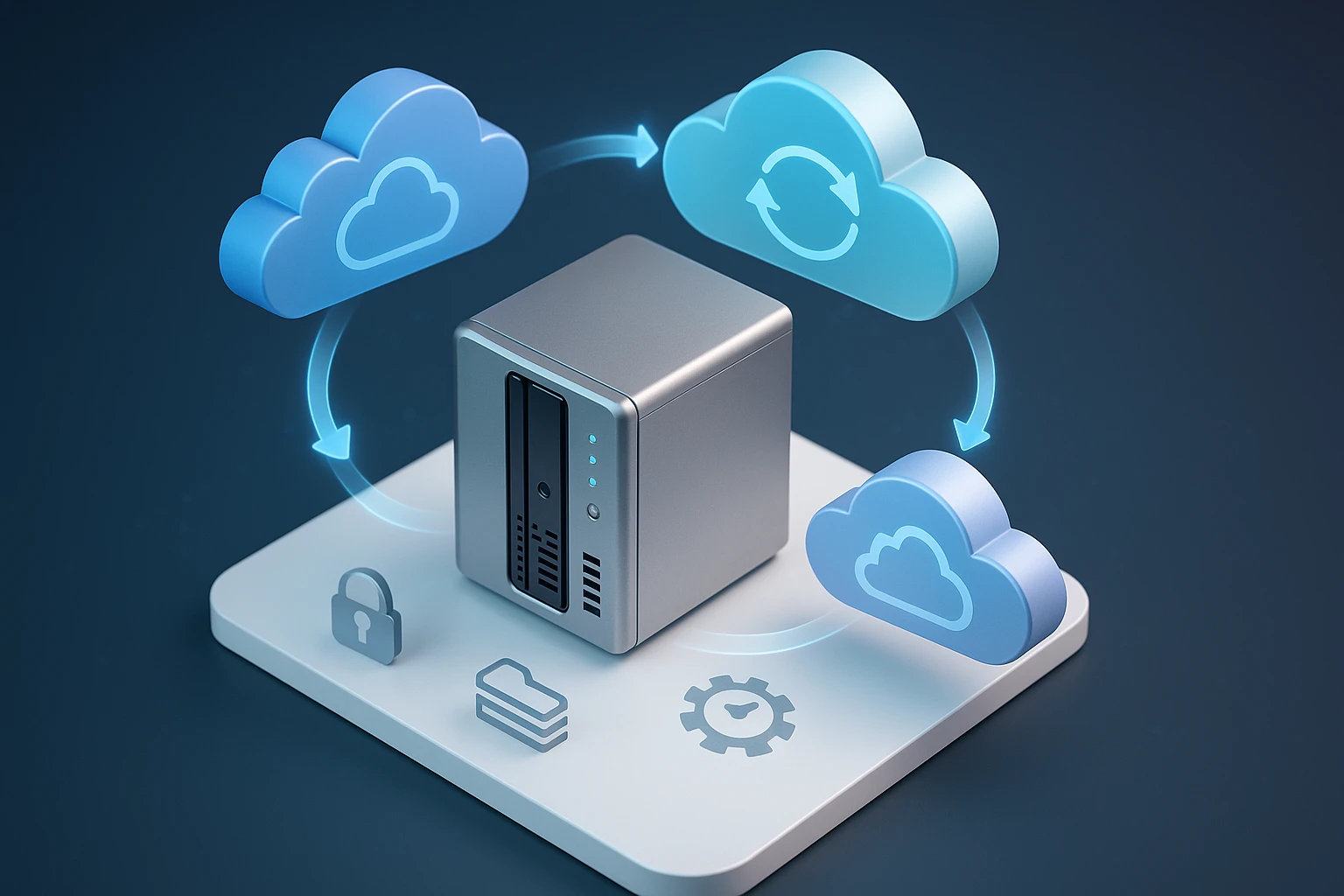
Automated multi-cloud backup represents a sophisticated approach to data protection that distributes copies of your information across different cloud storage providers simultaneously. Rather than manually copying files or depending on one service, this method creates redundant, geographically dispersed backups that work without human intervention. The strategy combines the reliability of automation with the security of diversification, ensuring your data remains accessible even if one provider experiences downtime or security breaches.
Throughout this comprehensive guide, you'll discover practical methods for implementing automated backup systems that span multiple cloud platforms. We'll explore the technical foundations, walk through specific implementation strategies, compare various tools and services, and provide actionable configurations that you can adapt to your needs. Whether you're protecting personal files or managing enterprise data, you'll gain the knowledge to build a resilient, automated backup infrastructure that provides genuine peace of mind.
Understanding Multi-Cloud Backup Architecture
The foundation of effective multi-cloud backup lies in understanding how different components work together to create a seamless, automated system. At its core, this architecture involves three primary elements: the source data location, the backup orchestration layer, and the destination cloud storage providers. The orchestration layer serves as the intelligence center, monitoring source data for changes, managing encryption, handling scheduling, and coordinating uploads to multiple destinations simultaneously.
Modern backup architectures employ differential or incremental backup methods rather than repeatedly copying entire datasets. When you first configure a multi-cloud backup system, it performs a full backup to establish a baseline. Subsequent backups only transfer changed or new files, dramatically reducing bandwidth consumption and storage costs. This efficiency makes it practical to maintain frequent backup schedules—even hourly updates become feasible for critical data without overwhelming your internet connection or budget.
Geographic distribution represents another crucial architectural consideration. Leading cloud providers maintain data centers across different continents, and strategically selecting storage regions ensures your backups remain accessible even during regional outages or disasters. For instance, you might configure primary backups to a provider's European data centers while maintaining secondary copies in Asian or North American facilities. This geographic redundancy protects against everything from localized technical failures to broader geopolitical disruptions.
"The question isn't whether you'll experience data loss, but when. The only variable you control is whether you'll recover."
Key Components of Backup Systems
Several technical components work in concert to enable reliable automated backups. Version control mechanisms maintain multiple historical versions of files, allowing you to recover not just the most recent backup but also earlier states—essential when corruption or unwanted changes go unnoticed for days or weeks. Encryption modules protect data both during transmission and while at rest in cloud storage, ensuring privacy even if a provider experiences a security breach. Scheduling engines trigger backup operations based on time intervals, file changes, or system events without requiring manual intervention.
The backup client or agent represents the software component installed on your source systems. This application monitors designated files and folders, detects changes, compresses data to minimize transfer sizes, applies encryption, and manages the upload process. Advanced clients implement bandwidth throttling to prevent backups from consuming all available internet capacity during business hours, and they include retry logic to handle temporary network interruptions gracefully.
Metadata management often receives insufficient attention despite its critical importance. Beyond storing the actual file data, effective backup systems maintain detailed metadata including original file paths, permissions, timestamps, and relationship information. This metadata enables accurate restoration that preserves not just file contents but also the complete organizational structure and attributes. Without proper metadata handling, restored files may lack correct permissions or appear in incorrect locations.
Selecting Cloud Storage Providers
Choosing which cloud platforms to include in your multi-cloud strategy requires balancing several factors: cost structures, geographic availability, API capabilities, reliability track records, and integration with backup tools. The most recognized providers—Amazon S3, Google Cloud Storage, Microsoft Azure Blob Storage, Backblaze B2, and Wasabi—each offer distinct advantages. Amazon S3 provides unmatched ecosystem integration and geographic reach but commands premium pricing. Backblaze B2 and Wasabi target cost-conscious users with simpler pricing models that eliminate egress fees for most use cases.
Storage class selection within each provider significantly impacts costs. Most platforms offer multiple tiers ranging from frequently-accessed hot storage to archive-optimized cold storage with retrieval delays. For backup purposes, infrequent access tiers typically provide the optimal balance—they cost considerably less than hot storage while maintaining relatively quick retrieval capabilities for disaster recovery scenarios. Archive tiers like Amazon Glacier or Google Coldline suit long-term retention requirements where immediate access isn't critical.
| Provider | Storage Cost (per GB/month) | Egress Cost (per GB) | Geographic Regions | Best For |
|---|---|---|---|---|
| Amazon S3 Standard-IA | $0.0125 | $0.09 | 25+ | Enterprise integration |
| Google Cloud Nearline | $0.010 | $0.12 | 20+ | Analytics integration |
| Azure Cool Blob | $0.010 | $0.087 | 60+ | Microsoft ecosystems |
| Backblaze B2 | $0.005 | Free (1-3x storage) | 4 | Cost optimization |
| Wasabi Hot Storage | $0.0059 | Free | 7 | Predictable pricing |
API compatibility and S3 protocol support deserve careful consideration when selecting providers. Many backup tools natively support Amazon S3 and can work with S3-compatible services through simple endpoint configuration changes. Backblaze B2, Wasabi, and several other providers offer S3-compatible APIs, enabling you to use the same backup software across different platforms. This compatibility reduces implementation complexity and provides flexibility to adjust your provider mix as requirements evolve.
"Diversification isn't just an investment principle—it's the cornerstone of data resilience. No single provider is immune to failure."
Provider Reliability and SLA Considerations
Service Level Agreements (SLAs) define the uptime commitments and compensation structures providers offer. Major cloud platforms typically guarantee 99.9% or higher availability, but the fine print matters. Some SLAs only cover the storage service itself, not your ability to access data during network issues. Others exclude scheduled maintenance windows from availability calculations. Understanding these nuances helps set realistic expectations and informs provider selection.
Historical reliability data provides more practical insights than SLA promises. Independent monitoring services track actual uptime across cloud providers, revealing patterns of outages and performance issues. While all providers experience occasional problems, frequency, duration, and transparency during incidents vary considerably. Providers that communicate proactively during outages and publish detailed post-mortems demonstrate operational maturity that correlates with better long-term reliability.
Backup Software and Tool Selection
The backup orchestration tool represents the central nervous system of your automated multi-cloud strategy. Options range from enterprise-grade commercial platforms with comprehensive features and support to open-source solutions offering flexibility and cost savings. Rclone stands out as a particularly powerful open-source option, supporting over 40 cloud storage providers with robust sync capabilities, encryption, and extensive configuration options. Its command-line interface suits automation through scripts and scheduling systems.
Commercial solutions like Duplicati, CloudBerry Backup (now MSP360), and Veeam Backup provide graphical interfaces and integrated scheduling that appeal to users preferring turnkey solutions. These platforms typically include features like automated retention policies, detailed logging, email notifications, and centralized management consoles for monitoring multiple backup jobs. The trade-off involves licensing costs and potential vendor lock-in, though many offer free tiers for personal use or small-scale deployments.
For technically proficient users, combining general-purpose tools creates highly customizable solutions. Restic offers exceptional deduplication and encryption with support for multiple backends, while Duplicacy provides lock-free deduplication enabling concurrent backups to different destinations. These tools integrate well with scripting languages like Python or Bash, allowing you to build sophisticated workflows that match precise requirements. Containerization through Docker further simplifies deployment and ensures consistency across different environments.
Essential Features to Prioritize
- 🔐 Client-side encryption that protects data before it leaves your systems, ensuring providers never access unencrypted content
- 📊 Incremental backup support minimizing bandwidth and storage consumption by transferring only changed data
- 🔄 Versioning capabilities maintaining multiple historical file versions for point-in-time recovery
- ⚡ Bandwidth throttling preventing backups from saturating network connections during critical periods
- 📧 Notification systems alerting administrators to failures, completions, or unusual conditions
Restoration capabilities require equal attention to backup features. The most sophisticated backup system provides little value if restoration proves complex or unreliable. Evaluate tools based on restoration speed, granularity (can you restore individual files or only complete backups?), and ease of use. Some solutions require restoring to the original system, while others support flexible destination selection. Testing restoration procedures regularly—not just during emergencies—validates that your backup strategy actually works.
"A backup you haven't tested is just a theory. Restoration is where strategy meets reality."
Implementing Automated Backup Workflows
Practical implementation begins with clearly defining what data requires protection and establishing appropriate backup frequencies. Not all data demands the same protection level—financial records and customer databases warrant more frequent backups and longer retention than temporary working files. Creating a data classification scheme helps allocate resources efficiently, directing premium multi-cloud protection toward critical assets while using simpler strategies for less important information.
Configuration typically starts with installing and configuring your chosen backup tool on source systems. For Rclone-based implementations, this involves creating remote configurations for each cloud provider through interactive setup or configuration file editing. Each remote requires provider-specific credentials—API keys, access tokens, or OAuth authentication—along with parameters like region selection and storage class preferences. Storing these credentials securely, potentially using secret management systems like HashiCorp Vault, prevents unauthorized access.
The actual backup command structure depends on your chosen tool but generally follows similar patterns. With Rclone, a basic multi-cloud backup might use commands like:
rclone sync /local/data remote1:backup-bucket --transfers 8 --checkers 16
rclone sync /local/data remote2:backup-container --transfers 8 --checkers 16
rclone sync /local/data remote3:backup-folder --transfers 8 --checkers 16
These commands synchronize local data to three different cloud destinations, with transfer and checker parameters optimizing performance. The sync operation makes the destination match the source, removing files deleted locally. For backup purposes, copy operations that never delete might be preferable, or implementing a separate cleanup process with explicit retention policies provides more control.
Scheduling and Automation Mechanisms
Automation transforms one-time backup commands into reliable, ongoing protection. Linux and Unix systems traditionally use cron for scheduled task execution. A crontab entry scheduling nightly backups at 2 AM might look like:
0 2 * * * /usr/local/bin/backup-script.sh >> /var/log/backup.log 2>&1Windows environments utilize Task Scheduler, offering similar capabilities through a graphical interface or command-line tools like schtasks. For cross-platform consistency, consider containerized solutions running backup tools in Docker containers orchestrated by scheduling systems like Kubernetes CronJobs or standalone container management platforms.
Advanced scheduling incorporates conditional logic and error handling. Rather than blindly executing backups, sophisticated scripts first verify source data accessibility, check available bandwidth, confirm cloud provider reachability, and validate sufficient storage quota remains. If preconditions fail, the script logs the issue, sends notifications, and potentially retries after a delay. This defensive approach prevents cascading failures and provides early warning of problems requiring attention.
| Scheduling Approach | Platform | Complexity | Advantages | Limitations |
|---|---|---|---|---|
| Cron | Linux/Unix | Low | Simple, reliable, universal | Limited conditional logic |
| Task Scheduler | Windows | Low-Medium | GUI available, event triggers | Windows-specific |
| Systemd Timers | Modern Linux | Medium | Better logging, dependencies | Systemd-specific |
| Kubernetes CronJobs | Container clusters | High | Scalable, cloud-native | Requires orchestration platform |
| Commercial schedulers | Cross-platform | Low | Integrated monitoring, GUI | Licensing costs |
Monitoring and Alerting Configuration
Automated backups fail silently without proper monitoring. Implementing comprehensive alerting ensures you learn about problems before they become disasters. At minimum, configure notifications for backup job failures, unusual duration increases suggesting performance problems, and successful completions to confirm ongoing operation. Email remains the most common notification channel, but modern systems integrate with messaging platforms like Slack, Microsoft Teams, or dedicated incident management systems like PagerDuty.
Log aggregation and analysis provide deeper insights into backup operations. Rather than reviewing individual log files across multiple systems, centralized logging platforms like the ELK stack (Elasticsearch, Logstash, Kibana), Splunk, or Graylog collect, index, and visualize backup logs. This centralization enables trend analysis, anomaly detection, and rapid troubleshooting. You might discover that backups consistently slow during specific hours, indicating network congestion, or that certain file types frequently cause errors.
"Silent failures are the enemy of reliability. If your backup system can fail without notification, it will—at the worst possible moment."
Security and Encryption Best Practices
Security considerations permeate every aspect of multi-cloud backup implementations. Data traveling across the internet and resting in third-party storage faces numerous threats: interception during transmission, unauthorized access to cloud accounts, provider security breaches, and insider threats. End-to-end encryption addresses these risks by ensuring data remains encrypted from source systems through transmission and storage, with decryption keys never leaving your control.
Client-side encryption, where data encryption occurs before upload, provides the strongest protection. Tools like Rclone support transparent encryption through their crypt remote type, which wraps other remotes with an encryption layer. You configure encryption passwords or key files locally, and the backup tool encrypts filenames and contents before transmission. Even if attackers gain access to your cloud storage or intercept network traffic, they obtain only encrypted data useless without your keys.
Key management represents the critical challenge in encrypted backup systems. Losing encryption keys permanently destroys access to backups—no recovery option exists. Store encryption keys separately from backed-up data, ideally in multiple secure locations like password managers, encrypted USB drives in physical safes, or dedicated key management services. Document key locations and ensure trusted individuals can access them if you become unavailable. This balance between security and accessibility requires careful planning.
Access Control and Authentication
Cloud provider access credentials require protection equal to the data they guard. Follow the principle of least privilege by creating dedicated service accounts or IAM users specifically for backup operations, granting only necessary permissions. An S3 backup account needs write access to designated buckets but shouldn't possess delete permissions or access to other resources. This limitation contains damage if credentials are compromised.
Implement multi-factor authentication (MFA) on cloud provider accounts whenever possible, particularly for administrative access. While service accounts used by automated backup tools typically can't use interactive MFA, protect the accounts that manage these service accounts with additional authentication factors. Regularly rotate access keys and API tokens, treating them like passwords that require periodic changes. Many organizations implement 90-day rotation policies for programmatic credentials.
Network security controls add another defense layer. If backup systems operate within specific network ranges, configure cloud provider firewall rules or security groups to restrict access to those IP addresses. This prevents credential abuse from unexpected locations. For enhanced security, consider VPN or dedicated network connections between your infrastructure and cloud providers, though this adds complexity and cost that may exceed requirements for many backup scenarios.
Cost Optimization Strategies
Multi-cloud backup costs accumulate from several sources: storage consumption, data transfer (particularly egress when retrieving backups), API operations, and potentially early deletion fees for certain storage classes. Understanding provider pricing models enables significant cost optimization without compromising protection. Storage costs typically dominate for large datasets, but egress charges can surprise users who haven't carefully reviewed pricing details.
Implementing intelligent retention policies balances protection requirements against storage costs. Rather than retaining every backup indefinitely, define lifecycle rules that maintain frequent recent backups while thinning historical versions. A common pattern keeps daily backups for a week, weekly backups for a month, and monthly backups for a year. Automated cleanup based on these policies prevents storage consumption from growing unbounded while preserving recovery options for various scenarios.
Deduplication and compression dramatically reduce storage requirements and associated costs. Modern backup tools identify duplicate data blocks across files and time, storing each unique block only once. For datasets with significant redundancy—like multiple similar virtual machine images or document versions with minor changes—deduplication achieves 10:1 or higher reduction ratios. Compression further reduces storage needs, though CPU overhead requires consideration for resource-constrained systems.
Provider Selection for Cost Efficiency
Strategic provider selection based on usage patterns optimizes costs. Backblaze B2 and Wasabi offer particularly attractive pricing for backup use cases because they include generous egress allowances or eliminate egress charges entirely. This matters significantly if you need to restore large amounts of data or frequently access backups for testing. Conversely, if you rarely retrieve data and prioritize rock-bottom storage costs, archive tiers from major providers might prove most economical despite higher retrieval fees.
Geographic region selection affects both costs and performance. Providers charge different rates for storage in different regions, with popular locations like US East typically costing less than specialized regions. However, choosing distant regions increases latency and may reduce transfer speeds. For backup purposes, moderate latency usually proves acceptable, making cost-optimized region selection viable. Ensure selected regions align with any data residency requirements or regulatory constraints affecting your data.
"The cheapest backup solution is worthless if you can't afford to restore when disaster strikes. Balance ongoing costs with recovery economics."
Testing and Validation Procedures
Regular testing transforms theoretical backup strategies into validated disaster recovery capabilities. Many organizations discover backup failures only when attempting recovery during actual emergencies—the worst possible time for unpleasant surprises. Implementing scheduled restoration tests, even of small data samples, verifies that backups remain viable and restoration procedures work as expected. Quarterly full restoration tests provide reasonable confidence without excessive resource consumption.
Test scenarios should cover various failure modes beyond simple file restoration. Simulate complete system losses requiring bare-metal restoration, test recovering specific file versions from historical backups, and practice retrieving data when primary cloud providers are unavailable (requiring fallback to secondary providers). Document each test, recording restoration times, problems encountered, and lessons learned. This documentation becomes invaluable during actual recovery operations when stress and time pressure impair decision-making.
Automated validation supplements manual testing by continuously verifying backup integrity. Implement scripts that periodically select random files from backups, restore them to temporary locations, and compare checksums against source files. This ongoing validation catches corruption or process failures between comprehensive manual tests. Some backup tools include built-in verification features that automatically check backup consistency after completion.
Recovery Time and Recovery Point Objectives
Understanding and measuring Recovery Time Objective (RTO) and Recovery Point Objective (RPO) guides backup strategy refinement. RTO defines how quickly you must restore operations after data loss—can you tolerate hours of downtime, or do you need recovery within minutes? RPO specifies acceptable data loss measured in time—can you afford losing a day's work, or must you recover to within minutes of failure? These objectives directly influence backup frequency, storage location choices, and tool selection.
For critical systems requiring aggressive RTO and RPO targets, consider continuous replication solutions that supplement traditional backups. Technologies like database replication, real-time file synchronization, or snapshot-based protection provide near-instantaneous recovery points, though at increased complexity and cost. Reserve these advanced approaches for genuinely critical systems while using standard automated multi-cloud backups for less time-sensitive data.
Advanced Configurations and Optimizations
Sophisticated backup implementations incorporate advanced techniques that enhance reliability, performance, and efficiency. Parallel uploads to multiple cloud providers significantly reduce backup window duration compared to sequential operations. Rather than backing up to Provider A, then Provider B, then Provider C, parallel execution uploads to all three simultaneously. This requires sufficient bandwidth and system resources but can reduce total backup time from hours to minutes for large datasets.
Bandwidth management becomes critical when backup operations compete with production workloads for network capacity. Implement quality-of-service (QoS) rules that prioritize interactive traffic over backup transfers during business hours, then remove restrictions during off-peak periods. Many backup tools include built-in bandwidth throttling, but network-level QoS provides more comprehensive control. Consider backup windows that align with your internet service provider's off-peak periods if your connection includes usage-based pricing or throttling.
Delta synchronization and binary differencing represent advanced techniques that minimize data transfer for large files with small changes. Rather than re-uploading entire files when small portions change, these methods identify and transfer only the modified segments. This proves particularly valuable for database files, virtual machine images, and other large binary files that undergo incremental updates. Tools like rsync pioneered these techniques, and modern backup solutions incorporate similar capabilities.
Hybrid Cloud and On-Premises Integration
Many organizations combine cloud backups with local backup appliances or network-attached storage (NAS) devices in hybrid configurations. This approach provides fast local recovery for common scenarios like accidental deletions while maintaining off-site cloud copies for disaster recovery. Local backups restore quickly over high-speed LAN connections, while cloud backups protect against site-level failures like fires, floods, or theft.
Implementing the 3-2-1 backup rule through hybrid configurations creates robust protection: maintain three copies of data, on two different media types, with one copy off-site. For example, keep production data on primary systems, maintain a backup on local NAS, and replicate to two different cloud providers. This redundancy protects against virtually any single point of failure while remaining economically practical for many use cases.
Compliance and Regulatory Considerations
Organizations subject to regulatory requirements must ensure backup strategies satisfy compliance obligations. Regulations like GDPR, HIPAA, SOC 2, and industry-specific standards impose requirements around data retention, geographic storage restrictions, encryption standards, and access controls. Understanding these requirements before implementing multi-cloud backups prevents costly remediation or compliance violations.
Data residency requirements restrict where certain information can be physically stored. European GDPR regulations, for instance, impose constraints on transferring personal data outside the EU without adequate safeguards. When selecting cloud providers and regions, verify that chosen locations comply with applicable data residency rules. Major cloud providers offer compliance certifications and region selection options that facilitate regulatory compliance, but responsibility ultimately rests with data controllers.
Audit logging and access tracking support compliance by documenting who accessed backups and when. Enable detailed logging on backup systems and cloud storage, capturing authentication events, data access, configuration changes, and restoration operations. Retain these logs according to regulatory requirements, often in tamper-evident systems that prevent unauthorized modification. Regular compliance audits should review backup configurations, access logs, and testing documentation to verify ongoing adherence to requirements.
Troubleshooting Common Issues
Even well-designed automated backup systems encounter problems requiring troubleshooting. Intermittent network failures represent the most common issue, causing backup jobs to fail or hang indefinitely. Implementing robust retry logic with exponential backoff helps systems recover from temporary network problems automatically. Configure backup tools to retry failed transfers multiple times with increasing delays between attempts, and only alert administrators after exhausting retry attempts.
Authentication and permission errors often surface after initial configuration succeeds but subsequently fails due to credential expiration, permission changes, or API quota exhaustion. Maintain detailed logs capturing exact error messages, which typically identify the specific problem. Many cloud providers offer IAM policy simulators and troubleshooting tools that help diagnose permission issues. Regularly review and renew credentials before expiration to prevent authentication failures.
Performance degradation over time may indicate several underlying issues: growing dataset sizes overwhelming available bandwidth, insufficient system resources on backup servers, or cloud provider throttling due to excessive request rates. Monitoring transfer speeds, CPU utilization, memory consumption, and API request counts helps identify bottlenecks. Solutions might involve upgrading internet connections, adding system resources, implementing more aggressive deduplication, or adjusting backup schedules to spread load.
Dealing with Large Dataset Challenges
Initial backups of large datasets—terabytes or petabytes—present unique challenges because transferring this volume over internet connections may require weeks or months. Several cloud providers offer physical data transfer services where you ship hard drives or storage appliances to their data centers for bulk import. AWS Snowball, Azure Data Box, and Google Transfer Appliance exemplify these services, enabling initial backup seeding without overwhelming network connections.
After establishing initial backups, incremental updates remain manageable for large datasets if change rates stay reasonable. However, applications generating substantial daily changes may still strain bandwidth. Consider implementing local caching or staging layers that aggregate changes and optimize transfer patterns. Some organizations maintain local backup repositories that synchronize to cloud storage during off-peak hours, decoupling backup capture from cloud transfer timing.
Future-Proofing Your Backup Strategy
Technology landscapes evolve continuously, and backup strategies must adapt to remain effective. Cloud provider offerings change, new storage technologies emerge, and organizational requirements shift. Building flexibility into backup architectures enables adaptation without complete redesign. Favor standards-based approaches and avoid proprietary formats that lock you into specific vendors. Using open backup formats and tools supporting multiple backends preserves migration options.
Regularly reassess provider selection and pricing structures. Cloud storage markets remain competitive, with providers frequently adjusting pricing or introducing new service tiers. Annual reviews comparing current costs against alternatives may reveal opportunities for significant savings or improved capabilities. However, balance cost optimization against migration complexity—frequent provider changes consume time and resources that might exceed potential savings.
Emerging technologies like object storage immutability and versioning features built into cloud platforms may simplify backup implementations. S3 Object Lock, Azure immutable blob storage, and similar capabilities prevent deletion or modification of stored data for specified periods, providing ransomware protection without requiring separate backup tools. As these features mature, hybrid approaches combining cloud-native capabilities with traditional backup tools may offer optimal solutions.
How much does multi-cloud backup typically cost for small businesses?
Costs vary significantly based on data volume and provider selection, but small businesses backing up 500GB might expect $15-30 monthly across multiple providers. This assumes using cost-optimized providers like Backblaze B2 or Wasabi for primary storage, with a major provider like AWS S3 for secondary copies. Actual costs depend on backup frequency, retention periods, and whether you need to retrieve data frequently. Using infrequent access storage tiers and implementing deduplication can reduce costs by 50% or more compared to standard storage.
What happens if one cloud provider goes out of business?
This scenario illustrates why multi-cloud strategies provide value. If one provider ceases operations, your data remains accessible from other providers in your backup rotation. Well-designed implementations maintain at least two complete copies across different providers, ensuring no single provider failure causes data loss. Most major cloud providers give advance notice before service termination, providing time to migrate. Using standard formats and tools supporting multiple backends enables relatively straightforward migration to replacement providers without data loss.
How frequently should backups run for different types of data?
Backup frequency depends on data change rates and acceptable data loss. Financial transaction systems might require continuous replication or hourly backups, while static reference data might only need weekly backups. A common approach implements hourly backups for critical databases, daily backups for user documents and application data, and weekly backups for system configurations and static content. Balance backup frequency against bandwidth consumption, storage costs, and system resource impact. More frequent backups provide better recovery points but increase infrastructure requirements.
Can automated backups work reliably over residential internet connections?
Yes, but dataset size and connection speed determine feasibility. Residential connections with 10-20 Mbps upload speeds can handle daily backups of 50-100GB datasets during overnight windows. Larger datasets require either faster connections, less frequent full backups supplemented by incremental updates, or initial seeding through physical transfer services. Bandwidth throttling prevents backups from disrupting daytime internet usage. Many successful home office and small business implementations use residential connections effectively by rightsizing backup scope and scheduling appropriately.
What's the minimum number of cloud providers needed for effective redundancy?
Two providers offer meaningful redundancy, protecting against single-provider failures while remaining economically practical. Three providers provide additional safety margins and enable geographic diversity, but diminishing returns set in beyond three for most use cases. The optimal number depends on risk tolerance, budget, and data criticality. Enterprise implementations protecting mission-critical data might justify four or more providers, while personal backups achieve sufficient protection with two carefully selected providers in different geographic regions.
How do I handle backup encryption key management securely?
Store encryption keys separately from backed-up data using multiple independent methods. Recommended approaches include saving keys in password managers with strong master passwords, storing encrypted key files on USB drives kept in physical safes, and documenting keys in secure documents stored with important papers. Create key recovery procedures that trusted family members or colleagues can follow if you become unavailable. Test key recovery procedures periodically to ensure documentation remains accurate and accessible. Never store encryption keys in the same cloud storage containing encrypted backups.
What bandwidth is required for backing up 1TB of data daily?
Bandwidth requirements depend on whether you're performing full or incremental backups. A full 1TB backup requires approximately 23 Mbps sustained upload speed to complete in 24 hours, leaving no margin for interruptions. Incremental backups transferring only changed data dramatically reduce requirements—if 5% of data changes daily (50GB), you need only 1.2 Mbps sustained upload. Most implementations combine weekly full backups during low-usage periods with daily incremental updates. Calculate required bandwidth as: (data volume in GB × 8) / (available hours × 3600) = required Mbps, adding 20-30% margin for overhead and interruptions.