
How to Create Automated Invoice System with Stripe
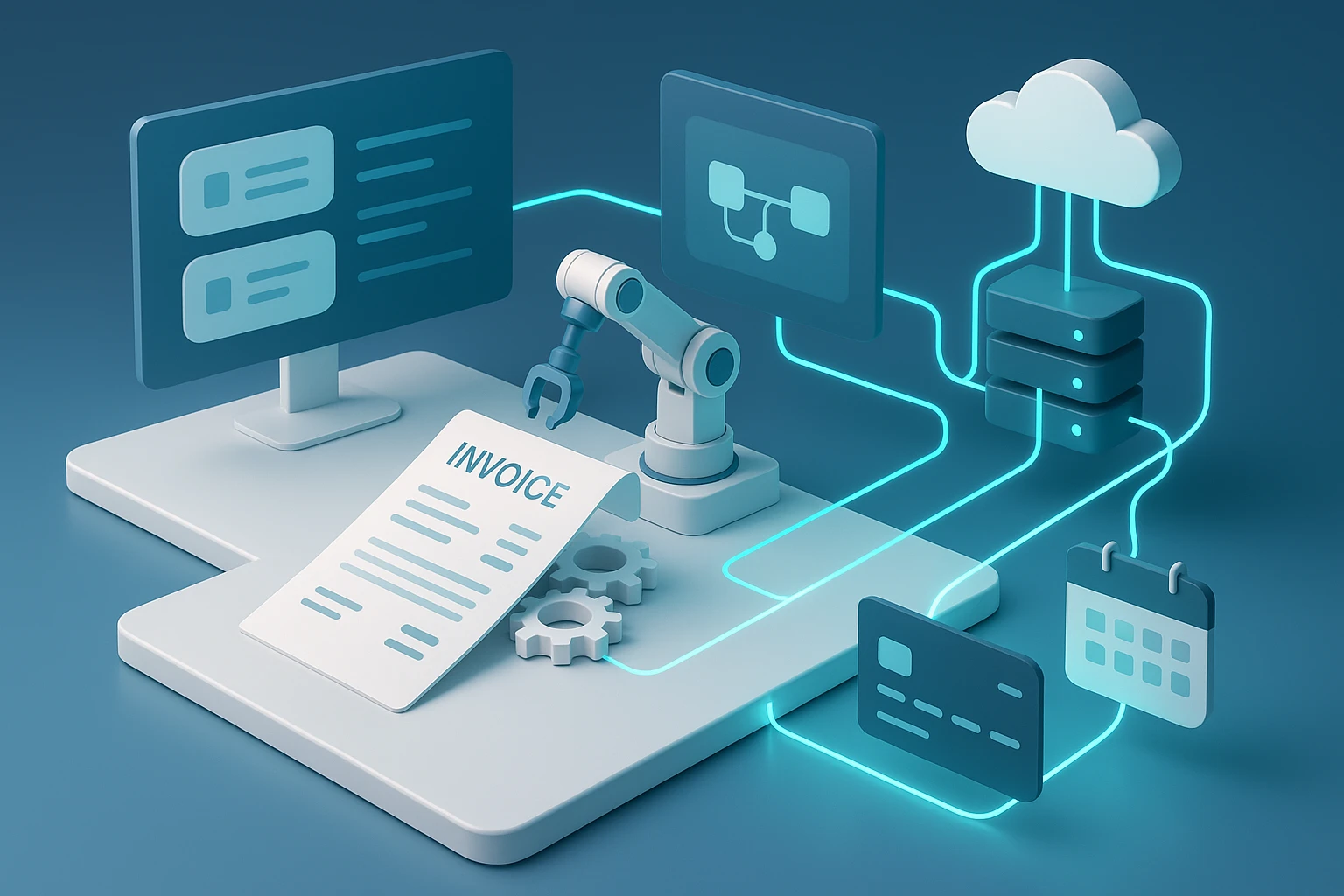
How to Create Automated Invoice System with Stripe
Managing invoices manually drains time and resources from businesses of all sizes. When you're spending hours creating, sending, and tracking payment documents, you're taking attention away from growth, customer relationships, and strategic initiatives. The frustration multiplies when payments arrive late, errors creep into calculations, or invoices simply get lost in email threads. This isn't just an administrative headache—it's a revenue problem that affects cash flow, customer satisfaction, and operational efficiency.
An automated invoice system represents the digital transformation of billing processes, where software handles the creation, delivery, tracking, and payment collection without manual intervention. Stripe, as a payment infrastructure platform, offers powerful tools that enable businesses to build sophisticated invoicing workflows that run on autopilot. The promise here extends beyond simple time savings—we're talking about creating a systematic approach that ensures consistency, reduces errors, improves payment speed, and provides valuable financial insights.
Throughout this exploration, you'll discover practical implementation strategies for building your automated invoicing infrastructure with Stripe. You'll learn about the technical architecture required, integration methods that suit different business models, customization options that maintain brand identity, and optimization techniques that maximize payment success rates. Whether you're a developer building solutions for clients, a business owner seeking to modernize operations, or a financial professional looking to streamline processes, the information ahead provides actionable pathways to invoice automation that actually works.
Understanding the Foundation of Stripe Invoice Automation
The architecture of an automated invoice system with Stripe rests on several interconnected components that work together seamlessly. At its core, Stripe's invoicing functionality operates through an API-first approach, meaning every action you can perform through their dashboard can be programmatically controlled through code. This fundamental design philosophy enables true automation rather than just digital versions of manual processes.
When you create an invoice through Stripe, you're not simply generating a PDF document. You're creating a structured data object that contains customer information, line items, pricing details, tax calculations, payment terms, and a unique payment link. This object exists within Stripe's ecosystem and can trigger webhooks, update customer records, generate reports, and integrate with other systems. The invoice becomes a living entity that tracks its own lifecycle from draft to paid status.
"The difference between digitizing invoices and automating them is the difference between scanning paper and building intelligent workflows that respond to business events without human intervention."
The payment infrastructure connects directly to the invoice, eliminating the friction between billing and collection. When customers receive an automated invoice, they can pay immediately through multiple payment methods—credit cards, bank transfers, digital wallets—all processed securely through Stripe's infrastructure. The system automatically updates payment status, sends receipts, records transactions in your financial records, and triggers any subsequent business logic you've configured.
Key Components of the Automation Framework
Several technical elements must work in harmony to create effective invoice automation. The customer database serves as the foundation, storing contact information, payment methods, billing preferences, and historical transaction data. Stripe's Customer objects provide this functionality, allowing you to maintain detailed profiles that persist across multiple invoices and subscriptions.
Product and pricing catalogs define what you're selling and how much you're charging. Stripe's Product and Price objects enable you to create reusable items that can be quickly added to invoices. This catalog approach ensures consistency across all billing documents and simplifies the process of updating prices or adding new offerings. When prices change, you can create new price points while maintaining historical accuracy for existing invoices.
The invoice template system controls how your billing documents look and what information they contain. While Stripe provides default templates that work immediately, customization options allow you to incorporate brand elements, add custom fields, include specific terms and conditions, and adjust layouts to match your business requirements. These templates apply automatically to every invoice generated, ensuring visual consistency without manual formatting.
| Component | Function | Automation Capability | Integration Points |
|---|---|---|---|
| Customer Database | Stores client information and payment methods | Auto-populates invoice details, remembers preferences | CRM systems, email platforms, accounting software |
| Product Catalog | Defines services and pricing structures | Instantly adds line items, calculates totals | Inventory systems, service platforms, subscription tools |
| Invoice Engine | Generates billing documents | Creates invoices based on triggers and schedules | Business logic systems, event platforms, scheduling tools |
| Payment Processor | Handles transaction execution | Charges cards automatically, processes payments | Banking systems, fraud detection, reconciliation tools |
| Notification System | Communicates with customers | Sends invoices, reminders, receipts automatically | Email services, SMS platforms, customer portals |
Setting Up Your Stripe Account for Invoice Automation
The initial configuration of your Stripe account establishes the parameters within which your automated system will operate. This setup phase requires careful attention to business details, tax requirements, payment preferences, and security settings. Rushing through configuration leads to problems later when invoices contain incorrect information or fail to comply with regional regulations.
Begin by completing your business profile within Stripe's dashboard. This information appears on invoices and payment pages, so accuracy matters for both legal compliance and customer trust. Include your official business name, address, contact information, and tax identification numbers. Stripe uses this data to generate properly formatted invoices that meet accounting standards and regulatory requirements in your jurisdiction.
Payment method configuration determines how customers can pay their invoices. Stripe supports numerous payment types including cards, bank debits, digital wallets, and region-specific methods. Enabling appropriate options for your customer base improves payment success rates. Consider geographic distribution, customer preferences, and transaction costs when selecting which methods to activate. Each payment method requires specific setup steps and may have different processing times and fee structures.
Configuring Tax and Compliance Settings
Tax calculation represents one of the most complex aspects of invoicing, particularly for businesses operating across multiple jurisdictions. Stripe Tax provides automated calculation services that determine appropriate tax rates based on customer location, product type, and applicable regulations. Enabling this feature requires connecting your tax registration information and defining which products are taxable.
"Tax compliance isn't optional, and manual calculation introduces errors that create audit risks and customer disputes. Automation ensures every invoice applies correct rates based on current regulations."
For businesses with specific tax requirements, custom tax rates can be configured manually. This approach gives complete control over tax application but requires ongoing maintenance as rates change. You'll need to create tax rate objects for each jurisdiction where you have tax obligations, then apply these rates to appropriate customers or products. The system can automatically include these taxes in invoice totals and provide detailed breakdowns for accounting purposes.
Establishing Invoice Numbering and Branding
Invoice numbering schemes provide organizational structure and aid in financial tracking. Stripe generates sequential invoice numbers automatically, but you can customize the format to match existing systems or meet specific requirements. Prefixes, suffixes, and number padding options allow you to create formats like "INV-2024-0001" or "INVOICE-0001-Q1" that align with your accounting practices.
Brand customization transforms generic Stripe invoices into documents that reflect your company identity. Upload your logo, select brand colors, customize email templates, and adjust the invoice layout to create professional billing documents. These visual elements apply automatically to every invoice, ensuring consistent brand presentation without manual design work. The hosted invoice pages where customers view and pay invoices also adopt your branding, creating a seamless experience.
Building the Technical Infrastructure
The technical implementation of invoice automation requires connecting Stripe's API to your business systems and workflows. This integration layer translates business events into invoice actions, ensuring that billing happens automatically when specific conditions are met. The complexity of this infrastructure varies based on your business model, existing systems, and automation requirements.
API integration begins with authentication setup. Stripe provides API keys that authorize your application to interact with their platform. Secret keys enable server-side operations like creating invoices and processing payments, while publishable keys allow client-side functionality like displaying payment forms. Proper key management is critical for security—secret keys should never be exposed in client-side code or public repositories.
The integration architecture typically involves several layers. Your application logic determines when invoices should be created based on business rules. This might include subscription renewals, project milestones, time-based billing periods, or custom triggers specific to your operations. When these conditions are met, your code calls Stripe's API to create invoice objects with appropriate details.
Implementing Invoice Creation Workflows
Creating invoices programmatically requires constructing requests that contain all necessary information. The basic structure includes customer identification, line items with descriptions and amounts, payment terms, and any applicable metadata. Stripe's API accepts these details in JSON format and returns a complete invoice object that includes a unique identifier and hosted invoice URL.
Line items represent individual charges on the invoice. Each item includes a description, quantity, unit price, and optional tax information. For recurring services, you might pull this information from a subscription schedule. For project-based work, it might come from a time tracking system or milestone completion records. The automation workflow gathers this data from source systems and formats it appropriately for the API request.
Payment terms specify when payment is due and what happens if it's late. Stripe supports various configurations including immediate payment, net terms (like net 30), and custom due dates. You can also configure automatic payment attempts using saved payment methods, late fees for overdue invoices, and reminder schedules that escalate as due dates approach. These settings apply automatically once configured, eliminating manual follow-up on outstanding invoices.
| Workflow Stage | Technical Action | Required Data | Automation Trigger |
|---|---|---|---|
| Invoice Initialization | Create invoice object via API | Customer ID, currency, collection method | Business event occurs (subscription renews, project completes) |
| Line Item Addition | Add invoice items to draft | Description, amount, quantity, tax rates | Service delivery recorded, usage calculated |
| Finalization | Finalize invoice for sending | Payment terms, due date, auto-charge settings | All charges confirmed, ready for customer |
| Delivery | Send invoice to customer | Email address, notification preferences | Invoice finalized, customer notification enabled |
| Payment Processing | Charge payment method or await payment | Payment method ID, retry logic | Due date reached, payment method available |
Webhook Integration for Real-Time Updates
Webhooks provide real-time notifications when invoice status changes occur. Instead of constantly checking for updates, your system receives immediate notifications when invoices are paid, failed, voided, or encounter other status changes. This event-driven architecture enables responsive automation that reacts immediately to payment outcomes.
"Real-time payment notifications transform invoice management from periodic checking to instant awareness, enabling immediate fulfillment, accurate cash flow tracking, and rapid response to payment issues."
Implementing webhook handlers requires creating endpoints in your application that receive and process Stripe's event notifications. When an invoice-related event occurs, Stripe sends an HTTP POST request to your configured webhook URL containing event details. Your application validates the request signature to ensure authenticity, then executes appropriate business logic based on the event type.
Common webhook events for invoice automation include invoice.payment_succeeded, invoice.payment_failed, invoice.upcoming, and invoice.finalized. Each event provides detailed information about the invoice and related objects, allowing your system to update records, trigger fulfillment processes, send internal notifications, or initiate retry logic. Proper webhook handling creates a responsive system that maintains accurate state across all platforms.
Designing Automation Rules and Triggers
The intelligence of your automated invoice system lies in the rules that determine when and how invoices are created. These business logic components translate operational activities into billing actions, ensuring that revenue recognition aligns with service delivery. Well-designed rules eliminate manual invoice creation while maintaining accuracy and compliance with revenue recognition standards.
Subscription-based billing represents the most straightforward automation scenario. When customers subscribe to recurring services, Stripe can automatically generate invoices on a defined schedule—monthly, quarterly, annually, or custom intervals. The system creates draft invoices before the billing date, finalizes them when due, and attempts payment using saved payment methods. This entire cycle happens without intervention, from invoice creation through payment collection.
Usage-based billing requires more sophisticated automation that tracks consumption and calculates charges based on actual utilization. This model works for services like API calls, storage space, transaction processing, or any metered resource. Your system records usage throughout the billing period, then aggregates this data when invoice generation is triggered. Stripe's metering functionality can track usage events and automatically calculate charges based on your pricing tiers.
Milestone and Event-Based Invoice Triggers
Project-based businesses often bill based on completion milestones or deliverable acceptance. Automating these scenarios requires integrating your project management or service delivery systems with invoice creation logic. When a milestone is marked complete or a deliverable is approved, the system automatically generates an invoice for the associated amount. This approach maintains the connection between work completion and payment request without manual invoice preparation.
Time-based triggers create invoices on specific dates regardless of other factors. This model suits retainer arrangements, fixed-fee services, or any situation where billing occurs on a predetermined schedule. You might configure the system to generate invoices on the first of each month, the last business day of the quarter, or specific dates that align with your cash flow requirements. The automation handles date calculation, including adjustments for weekends and holidays.
Conditional Logic and Business Rules
Advanced automation incorporates conditional logic that adjusts invoice behavior based on customer attributes, account status, or historical patterns. For example, you might apply different payment terms based on customer credit rating, offer early payment discounts to specific customer segments, or escalate collection efforts differently depending on account value. These rules add intelligence to the automation, creating personalized billing experiences at scale.
"Generic automation treats all customers the same, but intelligent systems recognize that payment behavior, relationship value, and business context should influence billing approaches."
Exception handling represents a critical component of robust automation. Not every scenario fits standard patterns, and rigid automation that can't accommodate exceptions creates operational problems. Build flexibility into your rules by defining fallback behaviors, manual override capabilities, and clear processes for handling edge cases. The goal is automation that handles 95% of scenarios perfectly while providing clean pathways for the remaining 5%.
Customizing Invoice Templates and Customer Experience
The visual presentation and content of your invoices significantly impact customer perception and payment behavior. While automation handles creation and delivery, thoughtful design ensures that invoices communicate clearly, reinforce brand identity, and make payment as frictionless as possible. Stripe provides extensive customization options that balance automation efficiency with personalized presentation.
Template design begins with information architecture—deciding what details to include and how to organize them for clarity. Essential elements include clear identification of the seller and buyer, itemized charges with descriptions, subtotals and taxes, total amount due, payment terms, and payment instructions. Additional elements might include purchase order numbers, project references, detailed terms and conditions, or custom messages relevant to specific customers or invoice types.
Visual customization transforms functional invoices into brand-aligned documents. Beyond basic logo and color application, consider typography choices, layout spacing, section organization, and visual hierarchy. The invoice should feel like a natural extension of your other customer communications. Consistency builds trust and professionalism, while poor design or generic templates suggest lack of attention to detail.
Dynamic Content and Personalization
Automated invoices can include dynamic content that changes based on customer attributes, invoice details, or business context. Personalized messages might reference specific projects, acknowledge long-term relationships, explain unusual charges, or provide context-specific payment instructions. This personalization happens automatically through template variables that pull data from customer records or invoice metadata.
The hosted invoice page where customers view and pay invoices offers additional customization opportunities. This page can include your branding, custom messaging, payment method selection, and additional information like service details or support contacts. Since many customers access invoices through these hosted pages rather than PDF attachments, optimizing this experience directly impacts payment conversion rates.
Multi-Language and Multi-Currency Support
Businesses serving international customers need invoices that accommodate different languages and currencies. Stripe supports multi-currency invoicing, allowing you to bill customers in their local currency while receiving settlement in your preferred currency. The system handles exchange rate calculation and currency conversion automatically, with clear indication of rates used for transparency.
Language customization ensures that invoice content appears in the customer's preferred language. This includes not just translated static text, but also localized formatting for dates, numbers, and currency symbols. You can maintain template versions in multiple languages and automatically select the appropriate version based on customer location or preference. This localization demonstrates respect for customer preferences and reduces confusion that might delay payment.
Implementing Payment Collection and Retry Logic
Creating and sending invoices represents only half of the billing process—successful payment collection completes the cycle. Automated payment systems can dramatically improve collection rates by attempting charges at optimal times, retrying failed payments intelligently, and providing multiple payment options. Stripe's payment infrastructure includes sophisticated retry logic and dunning management that operates automatically once configured.
Automatic payment collection works when customers have saved payment methods on file. Upon invoice finalization or when the due date arrives, the system automatically attempts to charge the stored payment method. Successful charges immediately mark the invoice as paid, trigger fulfillment processes, and send payment confirmation to the customer. This immediate collection eliminates the delay between invoice receipt and payment, improving cash flow predictability.
"The gap between invoice delivery and payment receipt represents trapped cash flow. Automatic payment collection converts that gap from days or weeks to seconds."
Failed payment handling requires careful orchestration to maximize recovery while maintaining positive customer relationships. When an automatic payment fails, the system can retry the charge on a defined schedule—perhaps after 3 days, then 7 days, then 14 days. Each retry might use different payment methods if the customer has multiple options saved. The retry schedule balances persistence with customer experience, avoiding excessive charge attempts that generate bank fees or frustration.
Smart Dunning and Communication Strategies
Dunning refers to the communication strategy for collecting overdue payments. Automated dunning systems send progressively urgent messages as invoices age, starting with gentle reminders and escalating to firm collection notices. The tone, timing, and content of these messages significantly impact both collection success and customer relationships. Effective dunning maintains professionalism while clearly communicating payment obligations.
The dunning sequence typically begins before the due date with a friendly reminder that payment is upcoming. After the due date passes, messages become more direct while remaining professional. Early overdue communications might focus on the possibility of oversight, providing easy payment links and offering assistance if issues exist. As invoices age further, messages emphasize consequences like service suspension or late fees while still maintaining respectful tone.
Automation enables sophisticated dunning strategies that would be impractical manually. Different customer segments can receive different dunning sequences based on payment history, account value, or relationship status. High-value customers might receive more patient, personalized outreach, while transactional accounts follow standard escalation paths. The system tracks communication history to avoid message duplication and ensures appropriate intervals between contacts.
Alternative Payment Methods and Flexibility
When primary payment methods fail, offering alternatives can rescue transactions that might otherwise become write-offs. The hosted invoice page can present multiple payment options including cards, bank transfers, digital wallets, and region-specific methods. Customers encountering issues with one method can immediately try another without contacting support or waiting for manual intervention.
Payment plans provide another recovery mechanism for customers facing temporary cash flow constraints. Rather than allowing invoices to become severely overdue, the system can offer installment options that split large invoices into smaller, more manageable payments. This flexibility maintains customer relationships and increases total recovery rates compared to rigid all-or-nothing collection approaches. Stripe's payment plan functionality can automate the creation and management of these arrangements.
Integrating with Accounting and Business Systems
Invoice automation delivers maximum value when it connects seamlessly with broader business systems. Isolated invoicing creates information silos that require manual data transfer, defeating much of automation's purpose. Proper integration ensures that invoice data flows automatically to accounting platforms, CRM systems, project management tools, and analytics dashboards, creating a unified view of business operations.
Accounting integration represents the most critical connection point. When invoices are created and paid in Stripe, this financial data must appear in your accounting system for accurate bookkeeping and financial reporting. Integration options range from simple data exports to sophisticated real-time synchronization that maintains perfect consistency between systems. Popular accounting platforms like QuickBooks, Xero, and NetSuite offer pre-built Stripe integrations that handle this synchronization automatically.
The integration typically maps Stripe objects to accounting concepts—customers become accounts, invoices become receivables, payments become deposits, and fees become expenses. The system automatically creates journal entries, updates account balances, and maintains audit trails. This automation eliminates manual data entry, reduces errors, and ensures that financial records stay current without accounting team intervention.
CRM and Customer Data Synchronization
Customer relationship management systems benefit significantly from invoice data integration. When sales teams can see complete billing history, payment patterns, and outstanding balances directly in their CRM, they gain valuable context for customer interactions. This visibility helps identify upsell opportunities, recognize payment issues before they escalate, and understand customer lifetime value accurately.
Bidirectional synchronization ensures that customer information stays consistent across platforms. When contact details update in your CRM, those changes flow to Stripe so invoices reach customers correctly. When payment methods are added or billing preferences change in Stripe, your CRM reflects these updates. This consistency prevents communication failures and ensures that every system works with accurate, current information.
Business Intelligence and Reporting Integration
Invoice data contains valuable insights about business performance, customer behavior, and financial health. Integrating this data with business intelligence platforms enables sophisticated analysis that informs strategic decisions. You might analyze payment timing patterns to optimize invoice delivery schedules, identify customer segments with higher payment failure rates, or forecast cash flow based on outstanding invoice aging.
"Data trapped in isolated systems provides limited value. Integration transforms invoice information from operational records into strategic intelligence that drives business decisions."
Stripe's reporting capabilities provide basic analytics, but exporting data to dedicated BI tools unlocks deeper insights. Integration can happen through direct API connections, scheduled data exports, or data warehouse synchronization. Once invoice data combines with information from other business systems, you can perform cross-functional analysis that reveals relationships between sales activities, service delivery, billing practices, and payment outcomes.
Optimizing for Payment Success and Revenue Recovery
Creating and sending invoices efficiently matters little if payments fail frequently or collection rates remain low. Optimization focuses on maximizing the percentage of invoices that result in successful payment, minimizing the time between invoice creation and payment receipt, and recovering revenue from failed transactions. Small improvements in these metrics compound into significant financial impact over time.
Payment timing optimization involves identifying when customers are most likely to pay successfully. Analysis might reveal that invoices sent on Monday mornings have higher success rates than those sent Friday afternoons, or that certain customer segments pay more reliably at month-end versus month-beginning. The automation system can incorporate these insights, scheduling invoice delivery for optimal times based on historical patterns and customer attributes.
Payment method optimization ensures that customers can pay through their preferred channels. Offering only card payments might seem simpler, but it excludes customers who prefer bank transfers, digital wallets, or region-specific methods. Each additional payment method increases friction slightly but expands the pool of customers who can pay easily. The optimization challenge involves finding the right balance for your customer base between simplicity and flexibility.
Reducing Payment Friction
Every step between invoice receipt and payment completion represents potential abandonment. Friction reduction focuses on eliminating unnecessary steps, clarifying instructions, and making payment as effortless as possible. The hosted invoice page should load quickly, display clearly on all devices, and present payment options prominently. The fewer clicks required to complete payment, the higher your success rate will be.
Saved payment methods represent one of the most effective friction reducers. When customers can pay with a single click using stored payment information, completion rates soar compared to requiring full payment details entry. The initial friction of saving a payment method pays dividends across all future transactions. Encourage payment method storage through clear value messaging about faster future payments and secure storage.
Handling Failed Payments Intelligently
Payment failures occur for numerous reasons—insufficient funds, expired cards, bank declines, technical issues, or fraud prevention triggers. Intelligent failure handling distinguishes between temporary issues likely to resolve with retry and permanent failures requiring customer action. The system should retry temporary failures automatically while promptly notifying customers about issues requiring their intervention.
Failure communication should be specific and actionable. Generic "payment failed" messages frustrate customers who don't understand what went wrong or how to fix it. Better messages explain the specific issue—"your card has expired," "insufficient funds were available," or "your bank declined the transaction"—and provide clear next steps. Include direct links to update payment information or contact support for assistance.
Ensuring Security, Compliance, and Data Protection
Automated invoice systems handle sensitive financial information and must maintain rigorous security standards. Payment data, customer information, and transaction records require protection from unauthorized access, data breaches, and fraudulent activity. Stripe's infrastructure provides robust security features, but proper implementation and operational practices are necessary to maintain comprehensive protection.
PCI DSS compliance governs how payment card information is handled, stored, and transmitted. Stripe's hosted payment pages and tokenization approach significantly simplify compliance by ensuring that sensitive card data never touches your servers. When customers enter payment information on Stripe-hosted pages, that data goes directly to Stripe's PCI-compliant infrastructure. Your system receives only tokens that can process payments but have no value if stolen.
Data encryption protects information in transit and at rest. All communication between your systems and Stripe's API occurs over encrypted HTTPS connections. Stripe encrypts stored data using industry-standard encryption algorithms. When implementing your automation system, ensure that any payment-related data you store locally receives similar protection. Avoid storing raw payment card data entirely—use Stripe's tokenization instead.
Fraud Prevention and Risk Management
Automated systems can be targets for fraudulent activity including stolen payment methods, identity theft, and transaction abuse. Stripe's fraud detection tools analyze patterns across their entire network to identify suspicious activity. Machine learning models evaluate numerous factors for each transaction, assigning risk scores that help prevent fraud while minimizing false positives that block legitimate customers.
"Automated fraud detection must balance security with customer experience. Overly aggressive blocking protects revenue but frustrates legitimate customers, while lax controls invite abuse that damages both finances and reputation."
Custom fraud rules allow you to implement business-specific protections based on your risk tolerance and customer patterns. You might block transactions from certain countries, flag unusually large invoices for review, or require additional verification for new customers. These rules operate automatically, evaluating every transaction against your criteria and taking appropriate action without manual review of routine transactions.
Regulatory Compliance and Tax Requirements
Invoice automation must comply with regional regulations governing billing practices, tax collection, and financial record-keeping. Different jurisdictions have varying requirements for invoice content, numbering schemes, tax display, and retention periods. Stripe's global infrastructure includes features designed to help with compliance, but understanding applicable regulations remains your responsibility.
Tax compliance automation has become increasingly complex as digital services face taxation in multiple jurisdictions. Stripe Tax can determine applicable tax rates based on customer location and product type, calculate correct amounts, and maintain records for reporting purposes. This automation reduces compliance burden significantly but requires proper configuration of your tax obligations, product taxability, and registration details.
Data protection regulations like GDPR and CCPA govern how customer information can be collected, used, stored, and deleted. Your invoice automation system must respect these requirements, providing mechanisms for customers to access their data, request corrections, or demand deletion. Stripe provides tools for managing these requests, but your overall system design must incorporate privacy by design principles that minimize data collection and protect customer rights.
Monitoring, Analytics, and Continuous Improvement
Automated systems require ongoing monitoring to ensure they're performing correctly and delivering expected results. Unlike manual processes where problems surface immediately through user frustration, automation failures can continue silently until someone notices missing revenue or customer complaints. Comprehensive monitoring catches issues quickly and provides data for continuous improvement.
System health monitoring tracks the technical operation of your automation infrastructure. This includes API response times, webhook delivery success rates, error frequencies, and integration status with connected systems. Monitoring tools should alert you immediately when problems occur—failed API calls, webhook delivery failures, or integration disconnections—so issues can be resolved before they impact customers or revenue.
Business metrics monitoring evaluates whether automation achieves desired outcomes. Key performance indicators might include invoice creation volume, payment success rates, time from invoice to payment, collection rates on overdue invoices, and automation coverage percentage. Tracking these metrics over time reveals trends, highlights problems, and quantifies the financial impact of your automation efforts.
Key Performance Indicators for Invoice Automation
- 💰 Payment Success Rate – Percentage of invoices paid successfully on first attempt, indicating how effectively your system matches payment methods with customer preferences and timing
- ⏱️ Days Sales Outstanding (DSO) – Average time between invoice creation and payment receipt, measuring cash flow efficiency and collection effectiveness
- 🔄 Retry Success Rate – Percentage of initially failed payments that succeed upon retry, validating your retry logic and dunning strategy effectiveness
- 📊 Automation Coverage – Percentage of invoices created automatically versus manually, showing how completely automation has replaced manual processes
- ⚠️ Error Rate – Frequency of system errors, failed API calls, or processing issues that require manual intervention or cause customer impact
Identifying Optimization Opportunities
Data analysis reveals specific opportunities to improve system performance. You might discover that certain customer segments have consistently lower payment success rates, suggesting need for different payment methods or terms. Analysis might show that invoices sent at particular times or days have better outcomes, enabling scheduling optimization. Pattern recognition in failed payments can identify systematic issues with payment method types or customer onboarding processes.
A/B testing applies to invoice automation just as it does to other digital processes. You might test different payment reminder schedules to see which produces better results, experiment with invoice template designs to optimize payment conversion, or compare dunning message variations to maximize collection rates while maintaining customer satisfaction. Systematic testing transforms intuition into data-driven improvements.
Scaling and Performance Optimization
As transaction volume grows, performance optimization becomes increasingly important. Systems that work fine with dozens of invoices monthly might struggle with thousands. Database queries need optimization, API calls require batching, and processing workflows need efficiency improvements. Regular performance testing under realistic load conditions identifies bottlenecks before they cause production problems.
Scalability planning ensures your automation infrastructure can handle growth without degradation. This includes technical capacity—server resources, database performance, API rate limits—and operational capacity like support team bandwidth for handling exceptions. Building scalability into your initial architecture costs less than retrofitting it later when performance problems emerge.
What are the primary cost components of implementing Stripe invoice automation?
Implementation costs include Stripe's transaction fees (typically 2.9% plus 30 cents per successful charge for cards), potential subscription fees for advanced features like Stripe Tax or Billing, development time for building integration and automation logic, and ongoing maintenance. Many businesses find the ROI positive within months due to time savings, faster payment collection, and reduced errors compared to manual invoicing.
Can automated invoicing handle complex pricing scenarios like volume discounts, promotional codes, and multi-tier pricing?
Yes, Stripe's pricing infrastructure supports sophisticated scenarios including percentage or fixed-amount discounts, coupon codes with usage limits and expiration dates, graduated pricing tiers based on quantity or usage, and custom pricing logic implemented through your automation code. The system can apply these rules automatically during invoice creation, calculating final amounts without manual intervention.
How does invoice automation handle situations requiring manual review or approval before sending?
Automation systems can create invoices in draft status, allowing review before finalization. You might configure workflows where certain conditions—like invoices exceeding a threshold amount or containing unusual items—trigger review queues instead of automatic sending. Approval workflows can integrate with project management or communication tools, notifying appropriate team members and awaiting approval before the system finalizes and sends invoices.
What happens when customers dispute automated invoices or claim billing errors?
Dispute handling requires processes outside pure automation. When customers contact you about billing issues, your team investigates using Stripe's detailed transaction records and audit trails. For legitimate errors, you can void incorrect invoices, issue credit notes, or create corrected invoices—all through Stripe's interface or API. The key is maintaining clear communication channels and response procedures for exceptions that automation can't resolve independently.
How can businesses transition from manual invoicing to automation without disrupting existing customer relationships?
Gradual migration reduces disruption. Start by automating the simplest, most repetitive invoicing scenarios while continuing manual processes for complex situations. Communicate changes to customers, explaining benefits like faster invoice delivery and more payment options. Maintain consistent invoice appearance so customers recognize documents despite the new delivery method. Monitor closely during transition, ready to address concerns quickly. Most businesses complete transition over several billing cycles, expanding automation as confidence grows.
What backup and disaster recovery considerations apply to automated invoice systems?
Since Stripe hosts your invoice data, they handle infrastructure backup and redundancy. Your responsibility includes backing up integration code, automation rules, custom configurations, and any local data your system maintains. Document your automation logic, webhook handlers, and business rules so systems can be rebuilt if necessary. Test recovery procedures periodically to ensure you can restore operations quickly if problems occur. Consider what happens if Stripe experiences downtime—can you create manual invoices temporarily if needed?