
How to Create Telegram E-commerce Bot
How to Create Telegram E-commerce Bot
Building Your Digital Storefront in the Messaging Era
The landscape of online commerce has shifted dramatically over the past few years. While traditional websites and mobile apps continue to serve their purpose, consumers increasingly prefer the immediacy and convenience of messaging platforms for their shopping needs. This shift represents more than just a trend—it's a fundamental change in how people want to interact with businesses. When customers can browse products, ask questions, and complete purchases without leaving their favorite messaging app, friction disappears and conversion rates soar.
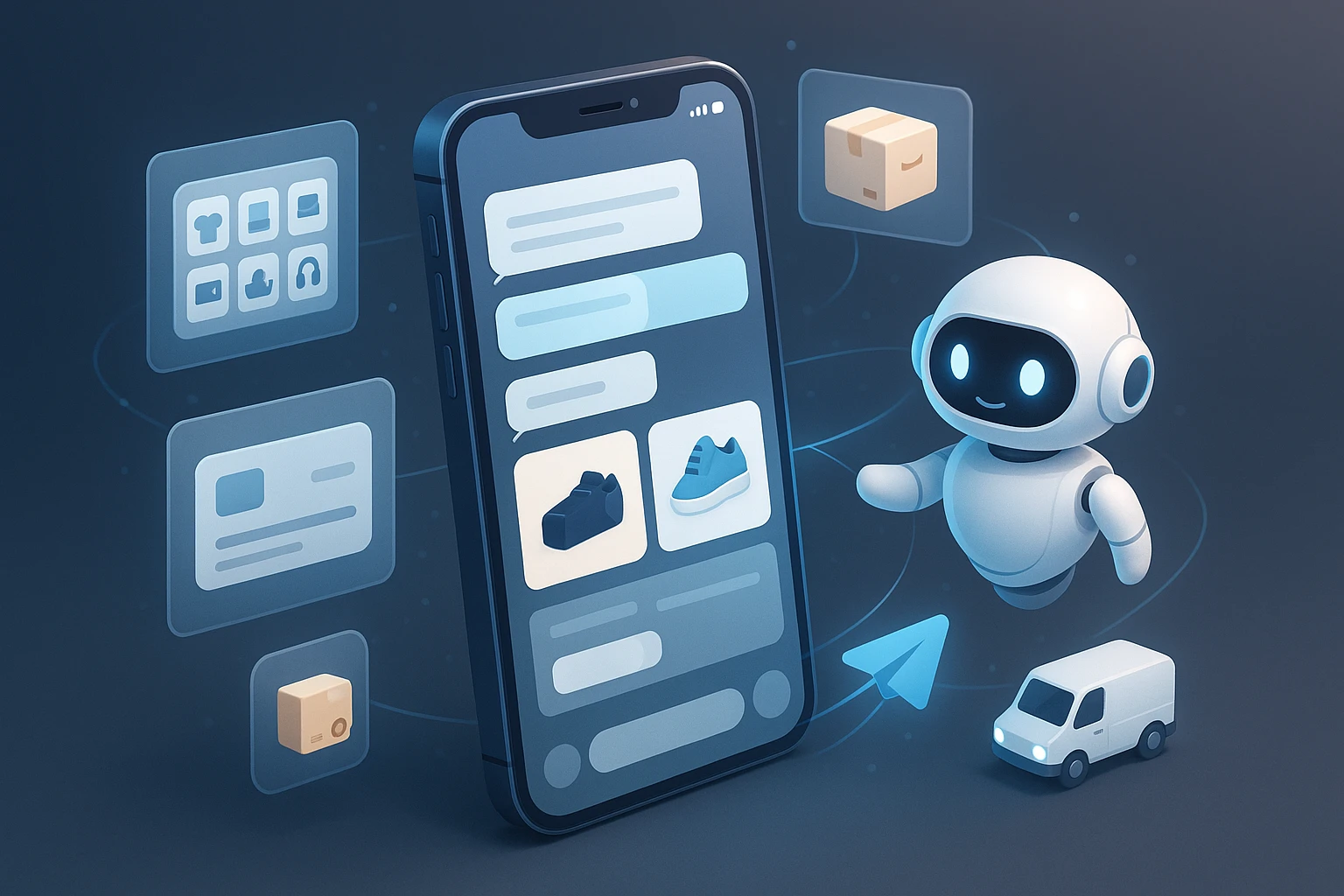
A Telegram e-commerce bot is essentially an automated shopping assistant that lives within the Telegram messaging platform. Unlike conventional online stores that require customers to navigate complex websites or download separate applications, these bots bring the entire shopping experience directly into a conversation interface. They can showcase products, process orders, handle payments, send notifications, and provide customer support—all through simple text commands and interactive buttons. The beauty of this approach lies in its accessibility and the seamless integration with a platform that millions of users already trust and use daily.
Throughout this comprehensive guide, you'll discover the complete process of building a fully functional e-commerce bot for Telegram. We'll explore the technical foundations you need to understand, walk through the step-by-step development process, examine payment integration options, discuss security considerations, and reveal optimization strategies that successful bot creators use. Whether you're a business owner looking to expand your sales channels or a developer seeking to build commerce solutions for clients, this resource will equip you with the knowledge and practical techniques needed to create a professional-grade Telegram shopping bot.
Understanding the Telegram Bot Ecosystem
Before diving into development, it's essential to grasp how Telegram bots function within the broader ecosystem. Telegram provides a robust Bot API that allows developers to create automated programs that can send and receive messages, process commands, and interact with users in sophisticated ways. Unlike some platforms that restrict bot capabilities, Telegram offers remarkable flexibility and power to developers while maintaining user privacy and security.
The Telegram Bot API operates on a request-response model where your bot application communicates with Telegram's servers through HTTP requests. When a user interacts with your bot, Telegram forwards that interaction to your server, and your application processes it and sends back an appropriate response. This architecture means you'll need a server to host your bot logic—whether that's a traditional web server, a cloud function, or a serverless platform depends on your specific requirements and preferences.
"The most successful e-commerce bots are those that feel less like automated systems and more like helpful shopping assistants who understand exactly what customers need."
Key Components of E-commerce Bot Architecture
An effective e-commerce bot requires several interconnected components working in harmony. At the foundation, you need the bot logic itself—the code that interprets user commands, manages conversation flow, and determines appropriate responses. This layer handles everything from greeting new users to processing complex product searches and order confirmations.
The second critical component is your product database. This repository stores all information about your inventory, including product names, descriptions, prices, images, stock levels, and categories. The database needs to be structured efficiently to enable quick searches and updates, as customers expect instant responses when browsing products.
Payment processing integration forms the third essential element. Telegram supports native payment processing through various providers, allowing customers to complete purchases without leaving the chat interface. Your bot needs to securely communicate with these payment systems, validate transactions, and update order status accordingly.
Finally, you'll need an administrative interface for managing your store. This backend system allows you to add new products, update inventory, process orders, handle customer inquiries, and analyze sales data. While customers interact with the conversational interface, you'll use this management layer to keep your store running smoothly.
| Component | Primary Function | Technical Requirements | Complexity Level |
|---|---|---|---|
| Bot Logic Engine | Handles user interactions and conversation flow | Python/Node.js, webhook or polling setup | Medium |
| Product Database | Stores and retrieves product information | PostgreSQL, MongoDB, or MySQL | Low to Medium |
| Payment Gateway | Processes financial transactions securely | Stripe, PayPal, or Telegram Payments API | High |
| Image Hosting | Serves product photos and media | CDN or cloud storage service | Low |
| Admin Dashboard | Manages inventory and orders | Web framework (Flask, Express, Django) | Medium to High |
Setting Up Your Development Environment
The first practical step in creating your e-commerce bot involves establishing a proper development environment. This foundation ensures you can build, test, and deploy your bot efficiently. Start by choosing your programming language—Python and Node.js are the most popular choices for Telegram bot development due to their excellent library support and active communities.
For Python developers, the python-telegram-bot library provides a comprehensive wrapper around the Telegram Bot API, simplifying many common tasks. If you prefer Node.js, the node-telegram-bot-api or Telegraf frameworks offer similar functionality with a JavaScript-native approach. Both ecosystems have mature, well-documented libraries that handle the complexities of API communication, allowing you to focus on your bot's unique features.
You'll also need to set up a database system to store your product catalog and order information. For beginners, SQLite offers a simple, file-based solution that requires minimal configuration. As your bot grows, you might migrate to PostgreSQL for its robust features and scalability, or MongoDB if you prefer a document-based approach that offers more flexibility in data structure.
Creating Your Bot with BotFather
Every Telegram bot begins with BotFather, Telegram's official bot for creating and managing other bots. Open Telegram and search for @BotFather, then start a conversation. Send the command /newbot to begin the creation process. BotFather will ask you to choose a name for your bot (this is the display name users will see) and then a username (which must end in "bot" and be unique across all Telegram bots).
Once you complete this process, BotFather provides you with an authentication token—a long string of characters that serves as your bot's unique identifier and access key. This token is critically important; treat it like a password and never share it publicly or commit it directly to version control systems. Anyone with access to this token can control your bot and potentially compromise your users' data.
After obtaining your token, you can configure additional bot settings through BotFather. Set a profile picture that represents your brand, add a description that explains what your bot does, and configure the /setcommands option to define the commands your bot recognizes. This setup creates a better user experience by displaying available commands when users type "/" in the chat.
Establishing Server Infrastructure
Your bot needs a server to run continuously and respond to user interactions. For development and testing, you can run the bot on your local machine, but production deployment requires a reliable hosting solution. Cloud platforms like DigitalOcean, AWS, Google Cloud, or Heroku offer various options ranging from simple virtual private servers to sophisticated serverless architectures.
When choosing a hosting solution, consider factors like uptime reliability, geographic location relative to your users, scalability options, and cost. A basic e-commerce bot serving a few hundred customers can run comfortably on a modest VPS costing $5-10 per month. As your user base grows, you may need to scale up to more powerful servers or implement load balancing across multiple instances.
"The difference between a bot that users abandon and one they return to daily often comes down to response speed and reliability—invest in solid infrastructure from the start."
Designing the Conversational Commerce Experience
The conversational interface represents both the greatest opportunity and biggest challenge in bot-based e-commerce. Unlike traditional websites where users navigate through visual menus and search bars, bot interactions flow through natural conversation augmented by buttons and quick replies. Designing this experience requires thinking differently about how customers discover and purchase products.
Start by mapping out the customer journey from initial greeting to completed purchase. A typical flow might begin with a welcome message that introduces the bot's capabilities and presents main categories as buttons. When a user selects a category, the bot displays products with images, descriptions, and prices. Interested customers can add items to their cart, review their selections, and proceed to checkout—all through a series of conversational exchanges guided by inline buttons.
The key to effective conversational design is anticipating user intent and providing clear, immediate options at each step. Avoid overwhelming users with too many choices at once; instead, break complex decisions into manageable steps. Use inline keyboards (buttons that appear below messages) to guide users through structured paths, while supporting text input for searches and custom requests.
Essential Bot Commands and Interactions
Every e-commerce bot should implement a core set of commands that users can access at any time. The /start command initiates the conversation and typically displays a welcome message with main navigation options. The /help command provides assistance and explains how to use the bot's features. The /catalog or /shop command takes users directly to product browsing, while /cart shows their current selections.
Beyond these basics, consider implementing commands like /search for finding specific products, /orders for viewing purchase history, /track for checking delivery status, and /support for contacting customer service. Each command should respond quickly with relevant information and clear next steps, maintaining the conversational flow without dead ends or confusion.
Inline buttons enhance the conversational experience by providing point-and-click interactions within the chat. Use these for actions like "Add to Cart," "View Details," "Next Page," and "Checkout." Callback queries—the data sent when users press these buttons—allow your bot to respond dynamically without requiring text input, making the shopping experience feel smooth and intuitive.
Product Display and Navigation Strategies
Presenting products effectively in a messaging interface requires careful consideration of information density and visual appeal. Each product message should include a high-quality image, a concise but descriptive title, key details like price and availability, and action buttons for adding to cart or viewing more information. Avoid lengthy descriptions in the initial display; instead, offer a "View Details" button that expands to show complete information.
Pagination becomes crucial when dealing with large product catalogs. Rather than sending dozens of messages in rapid succession, implement page-based navigation with "Previous" and "Next" buttons. Display 3-5 products per page to balance information availability with chat readability. Include page indicators (e.g., "Page 2 of 8") so users understand their position within the catalog.
Category-based browsing provides structure for product discovery. Create a hierarchical navigation system where users first select a main category (like "Electronics" or "Clothing"), then narrow down to subcategories (like "Smartphones" or "T-Shirts"), and finally browse specific products. This progressive disclosure prevents overwhelming users while helping them find exactly what they're looking for.
Implementing Core E-commerce Functionality
With the conversational framework established, you can now implement the actual commerce features that transform your bot from a chat interface into a functional store. The shopping cart system forms the heart of this functionality, temporarily storing user selections until they're ready to complete their purchase.
Implement the cart as a data structure associated with each user's Telegram ID. When a user adds a product, store the product ID, quantity, and any selected options (like size or color) in your database. Provide commands or buttons to view the cart, modify quantities, remove items, and proceed to checkout. Display the cart contents with a clear summary showing each item, its quantity, individual price, and the total amount.
Shopping Cart Management
A well-designed cart system allows users to review and modify their selections easily. When displaying the cart, show each item with its name, quantity, and subtotal, along with buttons to increase quantity, decrease quantity, or remove the item entirely. Calculate and display the running total prominently, including any applicable taxes or shipping costs once the user provides their location.
Consider implementing cart persistence that saves selections even if the user closes Telegram or doesn't complete their purchase immediately. This feature reduces friction and allows customers to browse, add items over time, and return to complete their order when convenient. Set a reasonable expiration period (like 7 days) after which cart contents are cleared to prevent database bloat.
Handle edge cases gracefully, such as when a product goes out of stock after being added to the cart, or when prices change before checkout. Notify users of these changes clearly and give them the option to proceed with modified selections or return to browsing. Transparency in these situations builds trust and prevents frustration during the purchase process.
Order Processing Workflow
When a user proceeds to checkout, initiate a structured order processing workflow that collects necessary information efficiently. Start by requesting delivery details—name, address, phone number, and any special instructions. You can use Telegram's built-in location sharing feature to let users send their address quickly, or implement a form-based approach where users type their information in response to prompts.
After collecting delivery information, present a final order summary showing all items, quantities, prices, delivery address, and the total amount including any fees. This confirmation step is crucial for reducing order errors and building customer confidence. Provide clear "Confirm Order" and "Edit Order" buttons so users can proceed or make last-minute changes.
"Order confirmation isn't just a technical step—it's a psychological moment where customers commit to the purchase. Make this moment clear, confident, and frictionless."
Once the order is confirmed, generate a unique order ID and store all order details in your database with a "pending payment" status. Send the user a clear message with their order ID and next steps for payment. If using Telegram's native payment system, this is where you'll invoke the payment interface; if using external payment links, provide a secure URL and instructions.
| Order Status | Description | User Actions Available | Automated Bot Responses |
|---|---|---|---|
| Cart Active | Items selected but not yet ordered | Add/remove items, modify quantities, checkout | Cart reminders, stock notifications |
| Pending Payment | Order confirmed, awaiting payment | Complete payment, cancel order | Payment link, timeout warnings |
| Payment Received | Payment processed successfully | View order details, track shipment | Confirmation message, receipt |
| Processing | Order being prepared for shipment | View status, contact support | Status updates, estimated ship date |
| Shipped | Order dispatched to customer | Track package, confirm delivery | Tracking number, delivery updates |
| Delivered | Order received by customer | Leave review, request support | Feedback request, reorder suggestions |
Integrating Payment Processing
Payment integration represents one of the most critical and sensitive aspects of your e-commerce bot. Telegram offers native payment support through its Bot API, which integrates with various payment providers including Stripe, PayPal, and several regional processors. This native integration provides a seamless experience where users complete transactions without leaving the Telegram app.
To implement Telegram Payments, first connect your bot to a supported payment provider through BotFather. Send the /mybots command, select your bot, choose "Payments," and follow the setup process for your chosen provider. You'll need to provide API credentials from your payment processor account and configure currency and other settings.
Once configured, you can send invoice messages to users when they're ready to checkout. These special messages display the order details, total amount, and a "Pay" button that opens Telegram's secure payment interface. Users enter their payment information (which Telegram encrypts and handles securely), and your bot receives a notification when the payment succeeds or fails.
Handling Payment Callbacks and Verification
When a user completes a payment, Telegram sends your bot a pre-checkout query that you must answer within 10 seconds. This callback allows you to perform final validation—checking that the items are still in stock, verifying the total amount is correct, and ensuring the order details are valid. Respond with an approval or rejection based on these checks.
After you approve the pre-checkout query, Telegram processes the payment and sends a successful payment message to your bot if the transaction completes. This message contains all the order and payment details, including a unique payment charge ID from your processor. At this point, update your database to mark the order as paid, send a confirmation message to the customer with their order details, and trigger any fulfillment processes.
Implement comprehensive error handling for payment failures. If a payment is declined, notify the user clearly and offer alternatives—they might want to try a different payment method, update their information, or contact their bank. Store failed payment attempts in your logs for troubleshooting and fraud prevention, but never store sensitive payment information like full card numbers.
Alternative Payment Methods
While Telegram's native payment system works well for many scenarios, you might need to support additional payment methods depending on your target market. Cryptocurrency payments have become increasingly popular for Telegram bots, offering benefits like lower fees and faster international transactions. Services like CoinGate or BTCPay Server provide APIs for accepting Bitcoin and other cryptocurrencies.
For regions where Telegram Payments isn't available or preferred, you can generate payment links to external checkout pages. When a user confirms their order, create a unique payment link through your processor's API and send it in the chat. The user completes payment on the external site, and your server receives a webhook notification to update the order status in your bot's database.
"Payment flexibility isn't just about accepting multiple methods—it's about meeting customers where they are and removing every possible barrier between intent and purchase."
Cash on delivery (COD) remains important in many markets and can be implemented as a payment option in your bot. When a user selects COD, skip the payment processing step but collect all necessary delivery information. Mark the order as "pending COD payment" and send instructions to your fulfillment team. Implement a system for your delivery personnel to confirm payment receipt, which then updates the order status to "completed."
Building Administrative and Management Features
While customers interact with the conversational interface, you need robust administrative tools to manage your store effectively. These backend features allow you to add and update products, monitor orders, handle customer service, and analyze business performance—all essential for running a successful e-commerce operation.
The simplest administrative approach involves creating a separate admin bot or adding admin-only commands to your main bot. Restrict access to these features by checking user IDs against a whitelist of authorized administrators. When an admin user sends commands like /addproduct or /orders, the bot responds with management interfaces instead of customer-facing features.
Product Management System
Implement commands that allow administrators to add new products by sending product details in a structured format or through a guided conversation. For example, the /addproduct command might prompt for the product name, then description, then price, then category, and finally request a product image. Store all this information in your database with a unique product ID.
Product updates and deletions should be equally straightforward. An /editproduct command followed by a product ID lets admins modify specific details without recreating the entire listing. The /deleteproduct command removes items from the catalog (or better yet, marks them as inactive so historical order data remains intact). Include bulk operations for efficiency when managing large catalogs.
Inventory management becomes crucial as your store grows. Track stock levels for each product and automatically update quantities when orders are placed. Send notifications to admins when products run low, and optionally hide out-of-stock items from customer browsing. Implement a system for receiving inventory shipments and updating stock counts accordingly.
Order Fulfillment Dashboard
Create an order management interface that displays pending orders requiring action. When an admin sends the /orders command, show a list of recent orders with their status, customer information, and order details. Provide buttons to update order status (mark as processing, shipped, or delivered), view full order information, or contact the customer.
Integrate shipping and tracking functionality by connecting to courier APIs. When an order ships, automatically send the customer a message with their tracking number and a link to track their package. This proactive communication reduces support inquiries and improves customer satisfaction by keeping buyers informed throughout the delivery process.
For businesses with physical fulfillment operations, consider generating pick lists and packing slips from your bot's database. These documents can be sent as PDF files through Telegram or accessed via a web dashboard, providing warehouse staff with the information they need to prepare orders accurately and efficiently.
Customer Service Tools
Implement a support ticket system that allows customers to contact your team directly through the bot. When a user sends the /support command or clicks a "Contact Support" button, prompt them to describe their issue. Store this as a support ticket in your database and notify your customer service team through a separate admin channel or external system.
Enable two-way communication between customers and support staff. Admins should be able to view open tickets, read customer messages, and send responses that appear in the customer's chat with the bot. This creates a seamless support experience without requiring customers to leave Telegram or use email.
Track common support issues and frequently asked questions to identify opportunities for improvement. If many customers ask about shipping times, add that information more prominently in your order confirmation messages. If product descriptions generate confusion, update them to be clearer. Use support data as a feedback loop to continuously enhance your bot's effectiveness.
Optimizing Performance and User Experience
A successful e-commerce bot isn't just functional—it's fast, reliable, and pleasant to use. Performance optimization ensures your bot responds quickly even under heavy load, while user experience refinements make shopping feel effortless and enjoyable.
Response time significantly impacts user satisfaction and conversion rates. Users expect instant replies when they interact with a bot, and delays of even a few seconds can feel frustrating. Optimize your database queries to execute quickly, implement caching for frequently accessed data like product listings, and structure your code to minimize processing time between receiving a message and sending a response.
Database Optimization Strategies
As your product catalog and order history grow, database performance becomes increasingly important. Index frequently queried fields like product IDs, user IDs, and order statuses to speed up lookups. Structure your database schema efficiently, avoiding unnecessary joins and denormalizing data where appropriate to reduce query complexity.
Implement connection pooling to manage database connections efficiently, especially if you're handling many concurrent users. Rather than opening a new connection for each interaction, maintain a pool of reusable connections that can serve multiple requests. This reduces overhead and improves response times under load.
Consider implementing a caching layer using Redis or Memcached for frequently accessed data that doesn't change often. Product listings, category structures, and user session data are excellent candidates for caching. Set appropriate expiration times to balance between serving fresh data and maximizing cache hit rates.
Media Handling and Delivery
Product images significantly impact the shopping experience but can also create performance bottlenecks if not handled properly. Store images on a content delivery network (CDN) or cloud storage service like AWS S3 or Cloudflare Images rather than serving them directly from your bot server. This offloads bandwidth requirements and ensures fast image loading regardless of user location.
Optimize image files before uploading them to your storage service. Compress images to reduce file size without noticeably degrading quality, and create multiple sizes for different use cases (thumbnails for product lists, full-size images for detail views). Telegram automatically handles some image optimization, but pre-optimizing files reduces transfer time and bandwidth costs.
"The best user experience is invisible—customers don't notice how fast your bot responds or how smoothly images load, but they definitely notice when these things go wrong."
Conversation State Management
Managing conversation state—remembering where each user is in their shopping journey—requires careful design. Simple bots can use in-memory storage for active conversations, but this approach fails when your bot restarts or scales across multiple servers. Implement persistent state storage using your database or a dedicated state management system.
Structure conversation states as a state machine where each user is in a specific state (browsing categories, viewing a product, filling out delivery information, etc.) and transitions between states based on their actions. Store the current state and any relevant context (like which product they're viewing or what category they're browsing) in your database associated with their user ID.
Implement timeout mechanisms that reset conversation state after periods of inactivity. If a user abandons their shopping session for several hours, return them to the main menu when they return rather than leaving them stuck in a checkout flow for a cart they've forgotten about. Send a friendly message acknowledging the time gap and offering a fresh start.
Security and Privacy Considerations
E-commerce bots handle sensitive information including personal details, delivery addresses, and payment data. Implementing robust security measures protects your customers, your business, and your reputation. While Telegram provides a secure foundation, your bot's implementation must maintain that security throughout the entire transaction process.
Never store sensitive payment information like credit card numbers or CVV codes in your database. When using Telegram Payments, the platform handles this data securely, and you only receive payment confirmation tokens. If integrating with external payment processors, follow their security guidelines strictly and use their APIs to process payments rather than handling card data directly.
Data Protection and Compliance
Implement proper data protection measures for the customer information you do store. Encrypt sensitive data like delivery addresses and phone numbers at rest in your database. Use secure connections (HTTPS/TLS) for all communication between your bot server and external services. Regularly update your dependencies and frameworks to patch security vulnerabilities.
Comply with relevant data protection regulations like GDPR if you serve European customers, or CCPA for California residents. Implement features that allow users to request their data, delete their account, or opt out of marketing communications. Store only the data you actually need for order fulfillment and business operations, and establish retention policies that delete old data after appropriate periods.
Be transparent about data collection and usage. When users first interact with your bot, present a clear privacy policy explaining what information you collect, how you use it, and how long you retain it. Require explicit consent before collecting personal information or sending promotional messages. This transparency builds trust and ensures legal compliance.
Fraud Prevention Measures
Implement basic fraud detection mechanisms to protect your business from malicious actors. Monitor for suspicious patterns like multiple failed payment attempts, orders with mismatched delivery and payment information, or unusually large orders from new customers. Flag these for manual review before fulfillment.
Rate limiting prevents abuse by restricting how many requests a user can make within a time period. Implement limits on actions like adding items to cart, creating orders, or sending support messages. This protects your server from overload and prevents automated bots from scraping your product catalog or spamming your system.
Verify user identity for high-value orders or suspicious transactions. You might require phone verification, email confirmation, or additional documentation before processing orders that meet certain criteria. While this adds friction, it's necessary for protecting your business from fraud and chargebacks.
Advanced Features and Enhancements
Once your core e-commerce bot is operational, consider implementing advanced features that differentiate your store and provide additional value to customers. These enhancements can significantly improve conversion rates, increase average order values, and build customer loyalty.
Personalization and Recommendations
Implement product recommendations based on browsing history and purchase patterns. Track which categories and products each user views, and use this data to suggest relevant items. When a user views a product, show "Customers also bought" suggestions. When they complete a purchase, recommend complementary products or accessories.
Personalize the shopping experience based on user preferences and behavior. If a customer frequently browses a particular category, feature new arrivals or promotions in that category when they start a conversation. Remember their delivery address from previous orders to streamline checkout. These small touches make the experience feel tailored and attentive.
Create customer segments based on purchase behavior and send targeted promotions. Identify your most valuable customers and offer them exclusive deals or early access to new products. Re-engage dormant customers with special comeback offers. Use Telegram's broadcast messaging capabilities to send these targeted communications without feeling spammy.
Loyalty Programs and Promotions
Implement a points-based loyalty program that rewards repeat purchases. Award points for each order based on the total amount spent, and allow customers to redeem points for discounts on future purchases. Display their current point balance in their profile or cart view, creating a visible incentive to continue shopping with your store.
Create promotional campaigns with discount codes that customers can apply during checkout. Generate unique codes for specific campaigns or customer segments, and track their usage to measure campaign effectiveness. Implement automatic promotions that apply without codes, like "Buy 2 Get 1 Free" or percentage discounts on specific categories.
Use limited-time offers to create urgency and drive immediate purchases. Send notifications about flash sales, countdown timers on special deals, or alerts when items customers viewed go on sale. These tactics leverage psychological triggers that encourage conversion while providing genuine value to customers.
Multi-language and Multi-currency Support
Expand your market reach by implementing multi-language support. Detect user language from their Telegram settings or allow them to select their preferred language through a menu. Store all product descriptions, messages, and interface text in a translation database that serves the appropriate language for each user.
Support multiple currencies to serve international customers effectively. Detect user location and display prices in their local currency, or let them choose their preferred currency. Use real-time exchange rate APIs to convert prices accurately, and clearly indicate which currency is being used throughout the shopping experience.
"Global commerce isn't just about shipping internationally—it's about making every customer feel like your store was built specifically for them, in their language and currency."
Integration with External Systems
Connect your bot to other business systems for seamless operations. Integrate with inventory management software to automatically sync stock levels. Connect to accounting systems to record sales and manage finances. Link with CRM platforms to maintain comprehensive customer profiles across all touchpoints.
Implement analytics tracking to understand customer behavior and business performance. Track metrics like conversion rate, average order value, cart abandonment rate, and customer lifetime value. Use this data to identify opportunities for improvement and measure the impact of changes to your bot.
Consider integrating with marketing automation platforms to coordinate campaigns across multiple channels. When a customer makes their first purchase through your bot, automatically add them to your email list. When they abandon a cart, trigger a follow-up message sequence. These integrations create a cohesive customer experience across all touchpoints.
Testing, Deployment, and Maintenance
Thorough testing ensures your bot works correctly before customers interact with it. Create a comprehensive test plan that covers all features and user flows, from browsing products to completing purchases. Test both the happy path (everything works perfectly) and edge cases (errors, invalid inputs, network failures).
Testing Strategies
Implement unit tests for individual functions and components, ensuring each piece of logic works correctly in isolation. Test database operations, payment processing functions, message formatting, and business logic calculations. Automated unit tests catch regressions quickly when you make changes to your codebase.
Conduct integration testing to verify that different components work together correctly. Test the complete flow from receiving a user message, processing it, querying the database, and sending a response. Verify that payment webhooks update order status correctly, that inventory decrements when orders are placed, and that admin commands perform their intended actions.
Perform user acceptance testing with real people before launching publicly. Recruit friends, family, or beta testers to interact with your bot and complete test purchases. Observe where they encounter confusion, what features they find intuitive, and what improvements they suggest. This qualitative feedback reveals issues that automated tests might miss.
Deployment Best Practices
Deploy your bot to a reliable hosting environment with appropriate resources for your expected traffic. Start with a simple deployment—a single server running your bot application—and plan for scaling as your user base grows. Implement monitoring to track server health, response times, and error rates.
Use environment variables to manage configuration like API tokens, database credentials, and payment processor keys. This keeps sensitive information out of your codebase and makes it easy to use different configurations for development, testing, and production environments. Never commit secrets to version control.
Implement logging to track bot activity and diagnose issues. Log important events like new users, orders placed, payment transactions, and errors. Structure logs in a way that makes them searchable and analyzable, using log management tools if you're generating high volumes of log data.
Ongoing Maintenance and Updates
Regularly update your bot to fix bugs, improve performance, and add new features. Establish a maintenance schedule that includes reviewing error logs, monitoring performance metrics, and updating dependencies. Keep your bot framework and libraries current to benefit from security patches and new features.
Monitor customer feedback and support inquiries to identify areas for improvement. If multiple customers struggle with a particular feature, redesign it to be more intuitive. If certain products generate confusion, improve their descriptions. Treat your bot as a living product that evolves based on user needs.
Plan for scaling as your business grows. Monitor resource usage and performance metrics to identify when you need to upgrade your server, optimize database queries, or implement caching. Consider moving to a microservices architecture if your bot becomes complex enough to benefit from separating concerns into independent services.
Marketing Your Telegram E-commerce Bot
Building a great bot is only half the challenge—you also need to attract customers to use it. Marketing your Telegram e-commerce bot requires strategies tailored to the platform and your target audience.
Leveraging Telegram's Built-in Discovery
Optimize your bot's profile for discovery through Telegram's search feature. Choose a clear, descriptive username that includes relevant keywords. Write a compelling description that explains what products you sell and why customers should shop with your bot. Add your bot to relevant Telegram directories and bot lists to increase visibility.
Create a Telegram channel to complement your bot and build a community around your brand. Share product updates, promotions, and valuable content related to your niche. Include a prominent link to your bot in the channel description and posts, making it easy for channel members to start shopping.
Encourage word-of-mouth growth by implementing a referral program. Give customers a unique referral link they can share with friends, and reward both the referrer and new customer with discounts or credits. This leverages existing customers to bring in new ones while providing value to both parties.
Cross-channel Promotion
Promote your Telegram bot on your other marketing channels. Add Telegram buttons to your website, email signatures, and social media profiles. If you have an existing customer base on other platforms, announce your Telegram bot and explain its benefits—convenience, instant notifications, easy reordering, and direct communication.
Create content that demonstrates your bot's value and ease of use. Record short video tutorials showing how to browse products and complete a purchase. Share customer testimonials highlighting positive experiences. Write blog posts or social media content that positions your bot as a convenient shopping solution.
Consider paid advertising on platforms where your target customers spend time. Run Instagram or Facebook ads that direct users to your Telegram bot. Use Google Ads to capture search traffic for your products. Ensure your ad creative clearly communicates the value proposition and makes the call-to-action obvious.
Retention and Engagement Strategies
Keep customers engaged with your bot through regular, valuable communication. Send notifications about new products, restocked items, or special promotions—but avoid over-messaging, which can lead to users blocking your bot. Find the right balance that keeps your brand top-of-mind without becoming annoying.
Create seasonal campaigns and themed promotions that give customers reasons to return. Holiday sales, anniversary celebrations, and seasonal product launches create natural touchpoints for re-engagement. Send personalized messages on customer birthdays or anniversaries of their first purchase.
Provide ongoing value beyond just selling products. Share tips related to your products, industry news, or helpful content that serves your audience. If you sell cooking equipment, share recipes. If you sell fitness products, provide workout tips. This positions your bot as a valuable resource rather than just a sales channel.
Real-world Examples and Success Stories
Understanding how successful businesses use Telegram e-commerce bots provides valuable insights and inspiration for your own implementation. These examples demonstrate different approaches and strategies that work across various industries and markets.
Fashion and Apparel
Several fashion retailers have built thriving businesses through Telegram bots by focusing on visual presentation and personalized styling. These bots showcase products through high-quality images, organize collections by style or occasion, and use customer preferences to recommend outfits. Some implement virtual try-on features or size recommendation algorithms to reduce returns.
One successful approach involves creating a personal shopper experience where the bot asks about the customer's style preferences, budget, and occasion, then curates a selection of products matching those criteria. This guided shopping experience helps customers discover products they might not have found through traditional browsing, increasing both satisfaction and average order value.
Food and Grocery Delivery
Food delivery bots leverage Telegram's immediacy and notification capabilities to create seamless ordering experiences. Customers can reorder their favorite meals with a single tap, track delivery in real-time, and communicate directly with delivery personnel through the bot interface. The conversational format feels natural for food ordering, mimicking the experience of calling a restaurant.
Grocery shopping bots implement features like shopping lists, recipe suggestions based on available ingredients, and subscription services for regular deliveries. Some integrate with local suppliers to offer fresh, same-day delivery, positioning themselves as convenient alternatives to traditional grocery shopping or larger delivery platforms.
Digital Products and Services
Bots selling digital products like courses, ebooks, software licenses, or subscriptions benefit from instant delivery capabilities. After payment, the bot immediately provides access to the purchased content through download links, activation codes, or account credentials. This instant gratification creates a satisfying purchase experience and eliminates fulfillment logistics.
Service-based businesses use Telegram bots for booking appointments, consultations, or sessions. Customers can view available time slots, book appointments, receive reminders, and reschedule if needed—all through conversational interactions. Payment integration allows for upfront booking fees or full service payment, streamlining the entire process.
"The most successful Telegram e-commerce bots don't just replicate existing shopping experiences—they reimagine commerce around the unique strengths of conversational interfaces and messaging platforms."
Common Challenges and Solutions
Building and operating an e-commerce bot comes with challenges. Understanding common issues and their solutions helps you avoid pitfalls and respond effectively when problems arise.
Technical Challenges
Handling high traffic volumes can strain your server resources and cause slow response times or crashes. Solution: Implement horizontal scaling by running multiple instances of your bot behind a load balancer. Use caching aggressively for frequently accessed data. Optimize database queries and consider using a database read replica for queries that don't require the absolute latest data.
Managing conversation state across multiple bot instances becomes complex when scaling. Solution: Use a centralized state storage system like Redis that all bot instances can access. Implement session affinity if possible, routing messages from the same user to the same bot instance to reduce state synchronization overhead.
Payment processing errors and failures frustrate customers and can result in lost sales. Solution: Implement comprehensive error handling that provides clear, actionable feedback when payments fail. Offer alternative payment methods. Log all payment attempts for troubleshooting. Implement retry logic for transient failures, but avoid automatically retrying in ways that might result in duplicate charges.
Business and Operational Challenges
Cart abandonment rates in bot commerce can be high, just as with traditional e-commerce. Solution: Implement cart recovery campaigns that send gentle reminders to users who added items but didn't complete checkout. Analyze where in the checkout flow users drop off and optimize those steps. Offer incentives like small discounts or free shipping to encourage completion.
Customer service demands can overwhelm small teams as your bot grows. Solution: Implement comprehensive FAQ systems and automated responses for common questions. Use AI-powered chatbot technology to handle routine inquiries, escalating only complex issues to human agents. Create self-service tools that let customers track orders, modify details, or resolve common issues without contacting support.
Inventory management becomes challenging when selling across multiple channels. Solution: Implement a centralized inventory system that syncs in real-time across all sales channels. Reserve inventory when items are added to carts (with timeout to release if not purchased) to prevent overselling. Set up alerts when stock runs low so you can reorder before items go out of stock.
User Experience Challenges
New users may not understand how to interact with your bot effectively. Solution: Implement a comprehensive onboarding flow that introduces key features and commands. Provide a /help command that's always accessible. Use inline buttons liberally to guide users through actions without requiring them to remember commands. Include helpful prompts and examples when requesting text input.
Language barriers limit your market reach if you only support one language. Solution: Implement multi-language support as discussed earlier, but also consider using translation APIs to automatically translate product descriptions and user messages. While not perfect, this can enable basic communication with customers who speak languages you don't formally support.
Building trust with new customers who are unfamiliar with bot-based shopping requires deliberate effort. Solution: Display trust signals prominently—customer reviews, security badges, clear return policies, and responsive customer service. Start with a strong social media presence that establishes your brand credibility before driving traffic to your bot. Offer guarantees and make the return process easy and transparent.
Future Trends in Telegram Commerce
The landscape of conversational commerce continues evolving rapidly. Understanding emerging trends helps you position your bot for long-term success and identify opportunities for competitive advantage.
Artificial Intelligence and Automation
AI-powered natural language processing is becoming sophisticated enough to handle complex customer queries without rigid command structures. Future bots will understand conversational requests like "show me blue dresses under $50" or "I need a gift for my tech-savvy friend" and provide relevant results. Implementing AI capabilities allows for more natural, flexible interactions that feel less robotic.
Predictive analytics will enable bots to anticipate customer needs based on behavior patterns. Your bot might proactively suggest reordering consumable products when they're likely running low, or recommend seasonal items at the right time. Machine learning models can optimize product recommendations, pricing strategies, and inventory management based on historical data.
Enhanced Multimedia Experiences
As messaging platforms expand their multimedia capabilities, e-commerce bots will incorporate richer content formats. Interactive product galleries, 360-degree product views, augmented reality try-ons, and video demonstrations will become standard features. These enhancements bridge the gap between online and in-store shopping experiences.
Voice and video interactions may complement text-based commerce. Customers could send voice messages describing what they're looking for, or join video calls with sales representatives for personalized assistance. While text remains the primary interface, these additional modalities provide options for customers who prefer them.
Blockchain and Cryptocurrency Integration
Cryptocurrency payments are gaining mainstream acceptance, and Telegram's crypto-friendly ecosystem positions it well for this trend. Beyond just accepting crypto payments, blockchain technology enables features like verifiable product authenticity, transparent supply chains, and decentralized loyalty programs. Smart contracts could automate aspects of order fulfillment and dispute resolution.
Non-fungible tokens (NFTs) and digital collectibles represent new product categories well-suited to bot-based commerce. The instant, digital nature of these products aligns perfectly with messaging platforms, and Telegram's built-in crypto wallet features facilitate seamless transactions.
Social Commerce Integration
The line between social media and commerce continues blurring. Telegram bots will increasingly integrate with social features—allowing customers to share products with friends, shop together in group chats, or see what products their contacts are buying. Social proof and peer recommendations become native parts of the shopping experience.
Influencer and creator commerce will expand on messaging platforms. Content creators can sell products directly to their Telegram channel subscribers through integrated bots, creating seamless paths from content consumption to purchase. This direct connection between creators and customers eliminates intermediaries and strengthens community bonds.
Frequently Asked Questions
How much does it cost to build a Telegram e-commerce bot?
The cost varies significantly based on complexity and whether you build it yourself or hire developers. A basic bot can be created for free using open-source tools if you have programming skills, with only hosting costs of $5-20 per month. Hiring a developer typically costs $500-5000 depending on features and complexity. Ongoing costs include hosting ($10-100+ monthly), payment processing fees (2-3% of transactions), and maintenance time.
Do I need programming knowledge to create a Telegram e-commerce bot?
Basic programming knowledge is highly beneficial for creating a custom bot, particularly familiarity with Python or JavaScript. However, no-code bot builders and platforms are emerging that allow non-technical users to create simple bots through visual interfaces. For a professional, feature-rich e-commerce bot, programming skills or hiring a developer is recommended to implement payment processing, database management, and custom features effectively.
How do I handle customer data privacy and GDPR compliance?
Implement data protection by design: collect only necessary information, encrypt sensitive data, use secure connections, and store data in compliant hosting locations. Provide clear privacy policies, obtain explicit consent before collecting personal information, and implement features allowing users to access, export, or delete their data. If serving EU customers, ensure your payment processors and hosting providers are GDPR-compliant. Consider consulting with a legal professional specializing in data protection to ensure full compliance.
Can I integrate my existing online store with a Telegram bot?
Yes, integration with existing e-commerce platforms is possible and often beneficial. Most major platforms like Shopify, WooCommerce, and Magento offer APIs that your bot can use to sync product catalogs, inventory levels, and orders. This allows you to maintain a single source of truth for your business data while offering multiple sales channels. The integration complexity depends on your platform and desired synchronization level—real-time sync requires more sophisticated implementation than periodic batch updates.
What are the best payment methods to offer in a Telegram e-commerce bot?
The ideal payment mix depends on your target market. Telegram's native payment integration with providers like Stripe and PayPal offers the smoothest user experience for card payments. In crypto-friendly markets, Bitcoin and other cryptocurrency options are increasingly expected. For regions with limited banking infrastructure, mobile money services and cash on delivery remain important. Offering 2-3 payment options that match your audience's preferences balances convenience with implementation complexity. Always prioritize security and compliance regardless of which methods you choose.