
How to Implement API Authentication with OAuth 2.0
How to Implement API Authentication with OAuth 2.0
Security stands as the cornerstone of modern application development, and protecting your APIs from unauthorized access isn't just a technical requirement—it's a fundamental responsibility. Every day, countless applications exchange sensitive data through APIs, and without proper authentication mechanisms, these communication channels become vulnerable gateways for malicious actors. The consequences of inadequate API security range from data breaches and financial losses to irreparable damage to user trust and brand reputation.
OAuth 2.0 represents the industry-standard protocol for authorization, providing a secure and flexible framework that allows applications to access resources on behalf of users without exposing their credentials. Rather than sharing passwords directly, this authorization framework enables controlled access through tokens, creating a layer of security that protects both users and service providers. Understanding and implementing OAuth 2.0 correctly means navigating multiple grant types, token management strategies, and security considerations that adapt to various application architectures.
Throughout this comprehensive guide, you'll discover practical implementation strategies for OAuth 2.0 authentication, from selecting the appropriate grant type for your specific use case to handling token lifecycle management and addressing common security pitfalls. Whether you're building a mobile application, a server-side service, or a single-page web application, you'll gain actionable insights into establishing robust authentication flows that balance security requirements with user experience expectations.
Understanding OAuth 2.0 Fundamentals
Before diving into implementation details, grasping the fundamental concepts of OAuth 2.0 creates the foundation for successful deployment. The protocol operates on a delegation model where resource owners grant limited access to their protected resources without sharing credentials directly. This separation of concerns distinguishes OAuth 2.0 from traditional authentication methods and provides enhanced security through token-based authorization.
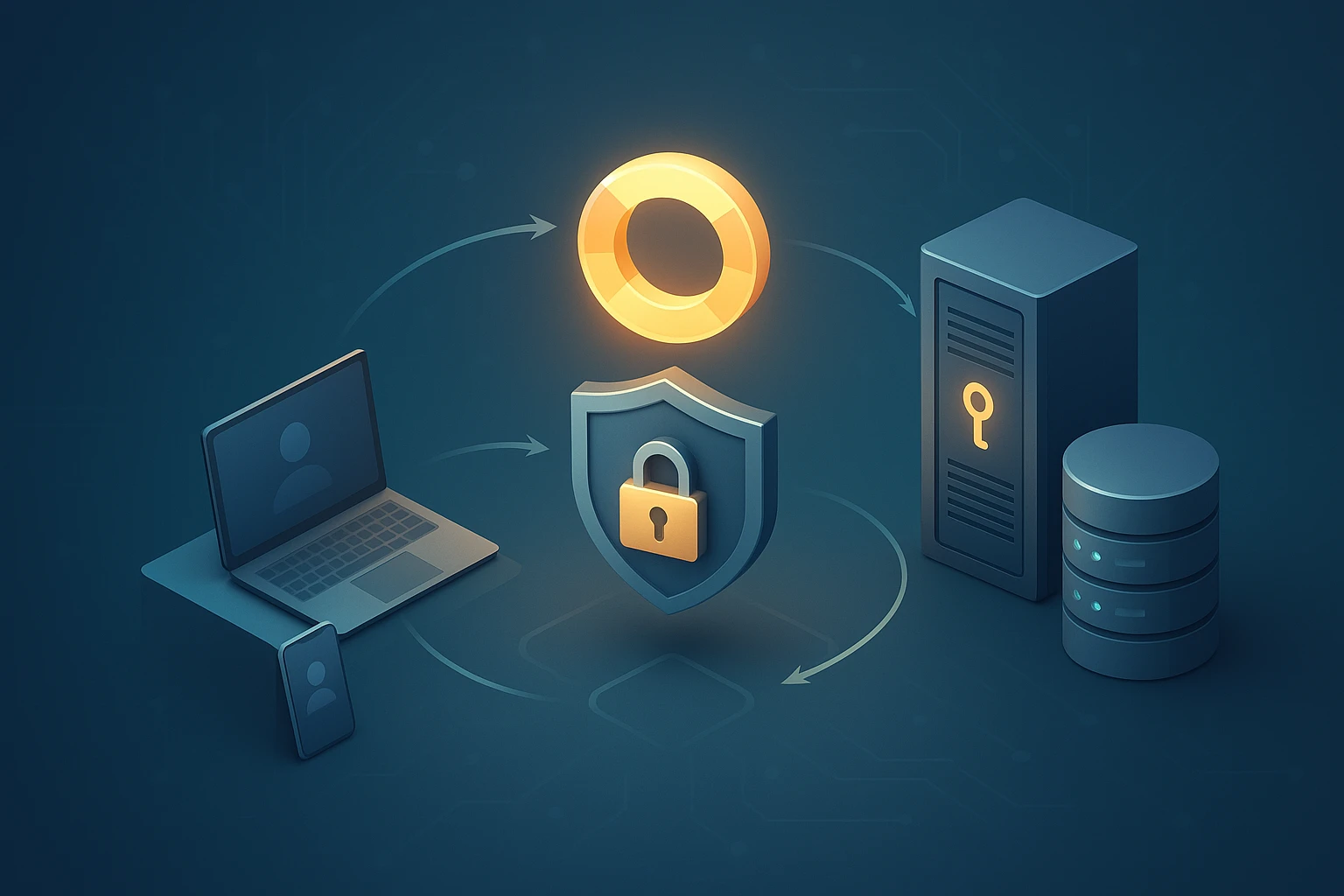
The OAuth 2.0 framework defines four primary roles that interact throughout the authorization process. The resource owner represents the user who owns the data and can grant access to it. The client refers to the application requesting access to protected resources on behalf of the resource owner. The authorization server issues access tokens after successfully authenticating the resource owner and obtaining authorization. Finally, the resource server hosts the protected resources and accepts access tokens to validate requests.
"Token-based authentication fundamentally changes how we think about security, moving from credential exposure to controlled, time-limited access that can be revoked without affecting the underlying account."
These roles interact through carefully orchestrated flows that ensure security at every step. When a client application needs access to protected resources, it doesn't directly request the user's credentials. Instead, it redirects the user to the authorization server, where authentication occurs in a trusted environment. After successful authentication, the authorization server issues tokens that the client can use to access specific resources within defined scopes and time constraints.
Core Components and Token Types
OAuth 2.0 utilizes different token types to serve distinct purposes within the authorization flow. Access tokens represent the credentials used to access protected resources, typically short-lived and carrying specific scope limitations. These tokens act as digital keys that grant temporary access without exposing long-term credentials. Refresh tokens provide a mechanism to obtain new access tokens without requiring user interaction, enabling applications to maintain access even after access tokens expire.
The protocol also defines authorization codes as intermediate credentials used in certain grant types. These codes represent the user's consent and can be exchanged for access tokens through a secure back-channel communication. This additional step prevents tokens from being exposed in browser history or referrer headers, significantly enhancing security for web-based applications.
| Token Type | Purpose | Typical Lifespan | Storage Location |
|---|---|---|---|
| Access Token | Grants access to protected resources | 15 minutes to 1 hour | Memory or secure storage |
| Refresh Token | Obtains new access tokens | Days to months | Encrypted secure storage |
| Authorization Code | Intermediate credential for token exchange | 1-10 minutes | Temporary, not stored |
| ID Token (OpenID Connect) | Contains user identity information | Varies by implementation | Client application |
Selecting the Right OAuth 2.0 Grant Type
Choosing the appropriate grant type represents one of the most critical decisions in OAuth 2.0 implementation, as different application architectures and security requirements demand specific authorization flows. The OAuth 2.0 specification defines several grant types, each designed to address particular scenarios while maintaining security principles appropriate to the context.
Authorization Code Grant
The authorization code grant stands as the most secure and commonly used flow for server-side applications. This grant type introduces an intermediary authorization code step that prevents access tokens from being exposed to the user agent. The flow begins when the client redirects the user to the authorization server with specific parameters including the client identifier, requested scope, and a redirect URI.
After the user authenticates and consents to the requested permissions, the authorization server redirects back to the client with an authorization code. The client then exchanges this code for an access token through a direct back-channel request to the authorization server, including client authentication credentials. This two-step process ensures that access tokens never pass through the user's browser, significantly reducing the risk of token interception.
Implementation of the authorization code grant requires careful attention to several security considerations. The redirect URI must be validated to prevent authorization code interception attacks. The authorization code should be single-use and short-lived, typically expiring within minutes. Additionally, the client must authenticate itself when exchanging the authorization code for tokens, preventing unauthorized applications from using intercepted codes.
Client Credentials Grant
When applications need to access their own resources or perform machine-to-machine communication without user context, the client credentials grant provides a streamlined authorization flow. This grant type involves the client directly authenticating with the authorization server using its own credentials, receiving an access token that represents the client itself rather than a specific user.
"Machine-to-machine authentication requires a fundamentally different approach than user-based flows, prioritizing service identity and eliminating interactive consent mechanisms that don't apply to automated processes."
The client credentials flow proves particularly valuable for backend services, scheduled tasks, and microservice architectures where services need to communicate securely without human intervention. Implementation involves the client sending a POST request to the token endpoint with its client ID and client secret, along with the requested scope. The authorization server validates these credentials and issues an access token if authentication succeeds.
Resource Owner Password Credentials Grant
The resource owner password credentials grant allows clients to directly collect user credentials and exchange them for access tokens. While this approach seems simpler, it should only be used in highly trusted scenarios where the client application is maintained by the same organization that operates the authorization server. This grant type essentially reintroduces the credential sharing that OAuth 2.0 aims to eliminate, making it suitable only for legacy system migrations or first-party applications.
Security implications of this grant type demand careful consideration. Users must trust the client application with their credentials, creating potential vulnerability if the client is compromised. The authorization server should implement additional security measures such as rate limiting and anomaly detection when supporting this grant type. Most modern implementations favor other grant types that maintain better credential isolation.
Implicit Grant and Modern Alternatives
Originally designed for browser-based applications, the implicit grant returns access tokens directly in the redirect URI without an intermediate authorization code step. However, current security best practices recommend against using the implicit grant due to inherent vulnerabilities in exposing tokens through the browser. Modern single-page applications should instead use the authorization code grant with PKCE (Proof Key for Code Exchange), which provides equivalent functionality with significantly enhanced security.
Implementing Authorization Code Flow with PKCE
The authorization code flow enhanced with PKCE represents the current best practice for most OAuth 2.0 implementations, particularly for public clients that cannot securely store client secrets. PKCE adds an additional layer of security by creating a cryptographic challenge that prevents authorization code interception attacks, making it suitable for mobile applications and single-page web applications.
Generating the Code Verifier and Challenge
Implementation begins with the client generating a cryptographically random code verifier, a string between 43 and 128 characters using unreserved characters from the URI specification. This code verifier acts as a secret that proves the client making the token request is the same client that initiated the authorization request. The client then creates a code challenge by applying a transformation to the code verifier, typically using SHA-256 hashing followed by base64url encoding.
// Generate code verifier
function generateCodeVerifier() {
    const array = new Uint8Array(32);
    crypto.getRandomValues(array);
    return base64UrlEncode(array);
}

// Create code challenge from verifier
async function generateCodeChallenge(verifier) {
    const encoder = new TextEncoder();
    const data = encoder.encode(verifier);
    const hash = await crypto.subtle.digest('SHA-256', data);
    return base64UrlEncode(new Uint8Array(hash));
}

function base64UrlEncode(array) {
    return btoa(String.fromCharCode.apply(null, array))
        .replace(/\+/g, '-')
        .replace(/\//g, '_')
        .replace(/=+$/, '');
}
The client stores the code verifier securely in session storage or memory, as it will be needed later when exchanging the authorization code for tokens. The code challenge, however, is sent to the authorization server as part of the authorization request, establishing the cryptographic link between the authorization request and the subsequent token request.
Initiating the Authorization Request
With the code challenge prepared, the client constructs the authorization request URL with several required parameters. The response_type parameter specifies "code" to indicate the authorization code grant. The client_id identifies the application to the authorization server. The redirect_uri specifies where the authorization server should send the user after authentication. The scope parameter defines the access permissions being requested. Additionally, the code_challenge and code_challenge_method parameters implement the PKCE extension.
const authorizationUrl = new URL('https://auth-server.com/authorize');
authorizationUrl.searchParams.append('response_type', 'code');
authorizationUrl.searchParams.append('client_id', 'your-client-id');
authorizationUrl.searchParams.append('redirect_uri', 'https://your-app.com/callback');
authorizationUrl.searchParams.append('scope', 'read write');
authorizationUrl.searchParams.append('code_challenge', codeChallenge);
authorizationUrl.searchParams.append('code_challenge_method', 'S256');
authorizationUrl.searchParams.append('state', generateRandomState());

// Redirect user to authorization URL
window.location.href = authorizationUrl.toString();
The state parameter serves as a CSRF protection mechanism, containing a random value that the client can verify when the authorization server redirects back. This prevents attackers from injecting authorization codes into legitimate client sessions. The client must validate that the state value in the callback matches the value it originally sent.
"Every parameter in the authorization request serves a specific security purpose, and omitting or incorrectly implementing any of them can create vulnerabilities that compromise the entire authentication flow."
Handling the Authorization Callback
After the user authenticates and grants consent, the authorization server redirects back to the specified redirect URI with the authorization code and state parameter. The client must first validate the state parameter to ensure the response corresponds to its original request. If validation succeeds, the client extracts the authorization code and prepares to exchange it for tokens.
// Handle callback in your application
async function handleAuthCallback(callbackUrl) {
    const params = new URLSearchParams(new URL(callbackUrl).search);
    const code = params.get('code');
    const state = params.get('state');

    // Validate state parameter
    if (state !== retrieveStoredState()) {
        throw new Error('State validation failed - possible CSRF attack');
    }

    // Retrieve the stored code verifier
    const codeVerifier = retrieveCodeVerifier();

    // Exchange authorization code for tokens
    const tokens = await exchangeCodeForTokens(code, codeVerifier);
    return tokens;
}
Exchanging the Code for Tokens
The token exchange request represents the critical moment where the authorization code and code verifier prove the client's identity. This request goes directly from the client to the authorization server's token endpoint, bypassing the user agent entirely. The request includes the authorization code, the original code verifier, client identification, and the redirect URI for validation purposes.
async function exchangeCodeForTokens(code, codeVerifier) {
    const tokenEndpoint = 'https://auth-server.com/token';

    const requestBody = new URLSearchParams({
        grant_type: 'authorization_code',
        code: code,
        redirect_uri: 'https://your-app.com/callback',
        client_id: 'your-client-id',
        code_verifier: codeVerifier
    });

    const response = await fetch(tokenEndpoint, {
        method: 'POST',
        headers: {
            'Content-Type': 'application/x-www-form-urlencoded'
        },
        body: requestBody.toString()
    });

    if (!response.ok) {
        throw new Error('Token exchange failed');
    }

    return await response.json();
}
The authorization server validates the authorization code, verifies that the code verifier matches the original code challenge, confirms the client identity, and checks that the redirect URI matches the one from the authorization request. If all validations pass, the server responds with an access token, refresh token (if applicable), token type, and expiration information.
Managing Token Lifecycle and Refresh Strategies
Effective token management extends beyond initial acquisition, requiring thoughtful strategies for storage, renewal, and revocation. Access tokens intentionally have limited lifespans to minimize the impact of token compromise, but this creates the challenge of maintaining continuous access without repeatedly prompting users for authentication. Refresh tokens solve this problem by enabling token renewal without user interaction.
Secure Token Storage Approaches
Storage location significantly impacts token security, with different application types requiring different approaches. Browser-based applications face particular challenges due to the various attack vectors available in web environments. Memory-only storage provides the highest security for access tokens, keeping them in JavaScript variables that disappear when the page reloads. However, this approach requires refresh tokens to obtain new access tokens after page refreshes.
For refresh tokens in browser environments, several storage options exist with varying security characteristics. Session storage provides isolation between tabs and clears when the browser closes, offering reasonable security for short-lived sessions. Local storage persists across browser sessions but remains vulnerable to XSS attacks. The most secure approach for browser-based applications involves storing refresh tokens in HTTP-only, secure, SameSite cookies, which prevents JavaScript access while maintaining persistence.
Native mobile applications have access to platform-specific secure storage mechanisms. iOS applications should use the Keychain Services API, while Android applications should leverage the Android Keystore system. These platform-provided solutions offer hardware-backed encryption and protection against unauthorized access, making them ideal for storing both access and refresh tokens.
| Application Type | Access Token Storage | Refresh Token Storage | Security Considerations |
|---|---|---|---|
| Single-Page Application | Memory only | HTTP-only cookie | Implement CSRF protection, use secure flag |
| Server-Side Web App | Server session | Encrypted database | Encrypt at rest, use secure session management |
| Native Mobile App | Secure storage API | Secure storage API | Use platform keychain, enable biometric protection |
| Backend Service | Memory or encrypted store | Encrypted configuration | Use secret management services, rotate regularly |
Implementing Token Refresh Logic
Proactive token refresh prevents service interruptions by obtaining new access tokens before the current ones expire. Rather than waiting for API requests to fail with authentication errors, applications should monitor token expiration and initiate refresh requests with appropriate timing. A common strategy involves refreshing tokens when they have less than 30% of their lifetime remaining, providing a buffer against clock skew and network delays.
class TokenManager {
    constructor(tokenEndpoint, clientId) {
        this.tokenEndpoint = tokenEndpoint;
        this.clientId = clientId;
        this.accessToken = null;
        this.refreshToken = null;
        this.expiresAt = null;
        this.refreshThreshold = 0.7; // Refresh when 70% of lifetime has passed
    }

    setTokens(tokenResponse) {
        this.accessToken = tokenResponse.access_token;
        this.refreshToken = tokenResponse.refresh_token;
        const expiresIn = tokenResponse.expires_in;
        this.expiresAt = Date.now() + (expiresIn * 1000);
    }

    shouldRefresh() {
        if (!this.expiresAt) return false;
        const lifetime = this.expiresAt - Date.now();
        const originalLifetime = this.expiresAt - (Date.now() - lifetime);
        return lifetime < (originalLifetime * (1 - this.refreshThreshold));
    }

    async getValidToken() {
        if (this.shouldRefresh()) {
            await this.refreshAccessToken();
        }
        return this.accessToken;
    }

    async refreshAccessToken() {
        if (!this.refreshToken) {
            throw new Error('No refresh token available');
        }

        const requestBody = new URLSearchParams({
            grant_type: 'refresh_token',
            refresh_token: this.refreshToken,
            client_id: this.clientId
        });

        const response = await fetch(this.tokenEndpoint, {
            method: 'POST',
            headers: {
                'Content-Type': 'application/x-www-form-urlencoded'
            },
            body: requestBody.toString()
        });

        if (!response.ok) {
            throw new Error('Token refresh failed');
        }

        const tokens = await response.json();
        this.setTokens(tokens);
    }
}
"Token refresh represents a delicate balance between security and user experience—refresh too frequently and you create unnecessary server load, refresh too infrequently and you risk service interruptions from expired tokens."
Handling Refresh Token Rotation
Modern security practices recommend implementing refresh token rotation, where each refresh operation issues a new refresh token while invalidating the old one. This approach limits the window of vulnerability if a refresh token is compromised, as stolen tokens become useless after legitimate use. Implementation requires careful handling to prevent race conditions where multiple simultaneous refresh attempts could invalidate tokens unpredictably.
When implementing refresh token rotation, applications should handle the scenario where a refresh request fails due to token invalidation. If a refresh token has been used and invalidated, but the client didn't receive the response due to network issues, the client should gracefully fall back to re-authentication rather than entering an error state. Some authorization servers implement grace periods where recently invalidated refresh tokens remain temporarily valid to handle these edge cases.
Securing API Endpoints with Access Tokens
Once tokens are acquired and managed, the resource server must properly validate them for each incoming request. Token validation represents the enforcement point where authorization decisions are made, determining whether requests should proceed or be rejected. Proper implementation ensures that only valid, unexpired tokens with appropriate scopes can access protected resources.
Bearer Token Authentication
OAuth 2.0 access tokens are typically transmitted using the Bearer authentication scheme, where the client includes the token in the Authorization header of HTTP requests. This standardized approach provides a consistent method for API authentication across different services and platforms. The header format follows the pattern "Authorization: Bearer {access_token}", with the token value directly following the "Bearer" keyword.
// Client-side: Making authenticated API requests
async function makeAuthenticatedRequest(url, tokenManager) {
    const token = await tokenManager.getValidToken();

    const response = await fetch(url, {
        method: 'GET',
        headers: {
            'Authorization': `Bearer ${token}`,
            'Content-Type': 'application/json'
        }
    });

    if (response.status === 401) {
        // Token may have expired, try refreshing
        await tokenManager.refreshAccessToken();
        const newToken = await tokenManager.getValidToken();

        return fetch(url, {
            method: 'GET',
            headers: {
                'Authorization': `Bearer ${newToken}`,
                'Content-Type': 'application/json'
            }
        });
    }

    return response;
}
Token Validation on the Resource Server
Resource servers must validate several aspects of incoming tokens before granting access to protected resources. Signature verification ensures the token was issued by a trusted authorization server and hasn't been tampered with. For JWT-based tokens, this involves verifying the cryptographic signature using the authorization server's public key. Expiration checking confirms the token hasn't exceeded its validity period, rejecting expired tokens regardless of other valid attributes.
Scope validation ensures the token grants permissions appropriate for the requested resource. Each protected endpoint should specify required scopes, and the resource server must verify that the token contains at least those scopes. Additionally, audience validation confirms the token was intended for the specific resource server, preventing tokens issued for one service from being used to access another service.
// Server-side: Token validation middleware (Node.js/Express example)
const jwt = require('jsonwebtoken');
const jwksClient = require('jwks-rsa');

const client = jwksClient({
    jwksUri: 'https://auth-server.com/.well-known/jwks.json',
    cache: true,
    cacheMaxAge: 86400000 // 24 hours
});

function getKey(header, callback) {
    client.getSigningKey(header.kid, (err, key) => {
        if (err) {
            callback(err);
            return;
        }
        const signingKey = key.getPublicKey();
        callback(null, signingKey);
    });
}

function validateToken(requiredScopes = []) {
    return (req, res, next) => {
        const authHeader = req.headers.authorization;

        if (!authHeader || !authHeader.startsWith('Bearer ')) {
            return res.status(401).json({ error: 'No token provided' });
        }

        const token = authHeader.substring(7);

        jwt.verify(token, getKey, {
            audience: 'your-api-identifier',
            issuer: 'https://auth-server.com/',
            algorithms: ['RS256']
        }, (err, decoded) => {
            if (err) {
                return res.status(401).json({ error: 'Invalid token' });
            }

            // Validate scopes
            const tokenScopes = decoded.scope ? decoded.scope.split(' ') : [];
            const hasRequiredScopes = requiredScopes.every(scope =>
                tokenScopes.includes(scope)
            );

            if (!hasRequiredScopes) {
                return res.status(403).json({
                    error: 'Insufficient permissions'
                });
            }

            req.user = decoded;
            next();
        });
    };
}

// Apply middleware to protected routes
app.get('/api/protected-resource',
    validateToken(['read:resources']),
    (req, res) => {
        res.json({ message: 'Access granted', user: req.user });
    }
);
"Token validation isn't just about checking signatures and expiration—it's about enforcing the complete authorization policy, including scopes, audiences, and any custom claims that define access boundaries."
Implementing Rate Limiting and Abuse Prevention
Even with valid tokens, resource servers should implement rate limiting to prevent abuse and ensure fair resource allocation. Token-based rate limiting tracks requests per access token, preventing individual clients from overwhelming the system. This approach proves more effective than IP-based limiting for APIs accessed through various network configurations and shared infrastructure.
Advanced implementations may adjust rate limits based on token scopes or client tiers, providing different service levels for different types of access. Monitoring for suspicious patterns—such as tokens being used from multiple geographic locations simultaneously or unusual request patterns—can identify compromised tokens before significant damage occurs.
Addressing Common Security Vulnerabilities
OAuth 2.0 implementation requires vigilance against various attack vectors that exploit common mistakes or oversights. Understanding these vulnerabilities and implementing appropriate countermeasures ensures robust security that withstands real-world threats. Each vulnerability represents a potential breach point that attackers actively seek to exploit.
Preventing Authorization Code Interception
Authorization code interception attacks occur when malicious actors capture authorization codes in transit and attempt to exchange them for access tokens. While PKCE significantly mitigates this risk, additional measures strengthen defense. Strict redirect URI validation prevents attackers from registering similar-looking domains to receive authorization codes. The authorization server should require exact URI matching, rejecting requests with mismatched redirect URIs even if they share the same domain.
Short authorization code lifetimes limit the window of opportunity for interception attacks. Codes should expire within minutes of issuance, and authorization servers should implement single-use enforcement, immediately invalidating codes after successful exchange. If a code is presented multiple times, the server should treat this as a potential attack, revoking any tokens issued using that code and alerting administrators.
Mitigating Token Replay Attacks
Token replay attacks involve stolen access tokens being used by unauthorized parties to access protected resources. While token expiration provides time-based protection, additional measures enhance security. Binding tokens to specific clients or devices creates an additional validation layer, where the resource server verifies that the token is being used from the expected context.
For highly sensitive operations, implementing transaction-specific tokens or requiring step-up authentication provides enhanced protection. These approaches ensure that even if an access token is compromised, attackers cannot perform critical operations without additional verification. Monitoring token usage patterns for anomalies—such as geographic impossibilities or unusual access patterns—enables early detection of compromised tokens.
Protecting Against Cross-Site Request Forgery
CSRF attacks in OAuth 2.0 contexts attempt to trick users into authorizing malicious applications or performing unintended actions. The state parameter provides primary CSRF protection by creating a cryptographic link between the authorization request and callback. Clients must generate unpredictable state values, store them securely, and validate them upon receiving the authorization callback.
For browser-based applications, implementing SameSite cookie attributes provides additional CSRF protection when using cookie-based authentication. The SameSite attribute prevents browsers from sending cookies with cross-site requests, blocking many CSRF attack vectors. Combining multiple defense layers—state parameter validation, SameSite cookies, and origin checking—creates robust CSRF protection.
Securing Against Open Redirect Vulnerabilities
Open redirect vulnerabilities occur when authorization servers allow arbitrary redirect URIs, enabling attackers to use the authorization server as a trusted intermediary to redirect users to malicious sites. Strict redirect URI validation prevents this vulnerability by requiring pre-registration of all valid redirect URIs and enforcing exact matching during authorization requests.
Dynamic redirect URI components should be avoided when possible. If dynamic redirects are necessary for legitimate reasons, implement strict validation that checks against an allowlist of approved patterns. Never trust redirect URI parameters without validation, as attackers frequently exploit this trust to conduct phishing attacks or steal authorization codes.
Implementing OAuth 2.0 with Popular Frameworks
While understanding OAuth 2.0 fundamentals proves essential, leveraging well-tested libraries and frameworks accelerates implementation while reducing security risks. Modern development ecosystems provide robust OAuth 2.0 implementations across various platforms and languages, each offering abstractions that handle complex protocol details while exposing necessary configuration options.
Node.js Implementation with Passport.js
Passport.js provides a comprehensive authentication middleware for Node.js applications, supporting OAuth 2.0 through various strategy modules. Implementation involves configuring the OAuth 2.0 strategy with authorization server endpoints, client credentials, and callback handling. The framework abstracts much of the protocol complexity while allowing customization for specific requirements.
const passport = require('passport');
const OAuth2Strategy = require('passport-oauth2');

passport.use('oauth2', new OAuth2Strategy({
    authorizationURL: 'https://auth-server.com/authorize',
    tokenURL: 'https://auth-server.com/token',
    clientID: process.env.CLIENT_ID,
    clientSecret: process.env.CLIENT_SECRET,
    callbackURL: 'https://your-app.com/auth/callback',
    scope: ['read', 'write'],
    state: true
}, (accessToken, refreshToken, profile, done) => {
    // Store tokens and user profile
    return done(null, {
        accessToken,
        refreshToken,
        profile
    });
}));

// Serialize user for session
passport.serializeUser((user, done) => {
    done(null, user);
});

passport.deserializeUser((user, done) => {
    done(null, user);
});

// Routes
app.get('/auth/login', passport.authenticate('oauth2'));

app.get('/auth/callback',
    passport.authenticate('oauth2', {
        failureRedirect: '/login-failed'
    }),
    (req, res) => {
        res.redirect('/dashboard');
    }
);

// Protected route example
app.get('/api/data', ensureAuthenticated, async (req, res) => {
    const response = await fetch('https://api.example.com/data', {
        headers: {
            'Authorization': `Bearer ${req.user.accessToken}`
        }
    });
    const data = await response.json();
    res.json(data);
});

function ensureAuthenticated(req, res, next) {
    if (req.isAuthenticated()) {
        return next();
    }
    res.redirect('/auth/login');
}
Python Implementation with Authlib
Authlib provides a comprehensive OAuth 2.0 implementation for Python applications, supporting both client and server roles. The library handles protocol details while offering flexibility for customization. Implementation focuses on configuration and integration with application frameworks like Flask or Django.
from authlib.integrations.flask_client import OAuth
from flask import Flask, redirect, url_for, session

app = Flask(__name__)
app.secret_key = 'your-secret-key'

oauth = OAuth(app)
oauth.register(
    name='oauth_provider',
    client_id='your-client-id',
    client_secret='your-client-secret',
    server_metadata_url='https://auth-server.com/.well-known/openid-configuration',
    client_kwargs={
        'scope': 'openid profile email',
        'code_challenge_method': 'S256'
    }
)

@app.route('/login')
def login():
    redirect_uri = url_for('authorize', _external=True)
    return oauth.oauth_provider.authorize_redirect(redirect_uri)

@app.route('/authorize')
def authorize():
    token = oauth.oauth_provider.authorize_access_token()
    session['token'] = token
    user_info = oauth.oauth_provider.parse_id_token(token)
    session['user'] = user_info
    return redirect('/dashboard')

@app.route('/api/protected')
def protected():
    token = session.get('token')
    if not token:
        return redirect('/login')

    # Use token to access protected resources
    response = oauth.oauth_provider.get('https://api.example.com/data')
    return response.json()

@app.route('/logout')
def logout():
    session.clear()
    return redirect('/')
Mobile Implementation Considerations
Mobile applications require special consideration for OAuth 2.0 implementation, particularly regarding redirect URI handling and secure storage. Native mobile apps should use platform-specific URL schemes or universal links for OAuth callbacks, avoiding embedded web views which create security risks. iOS applications leverage Universal Links, while Android applications use App Links to securely receive authorization callbacks.
The AppAuth libraries for iOS and Android provide production-ready OAuth 2.0 implementations that follow platform best practices. These libraries handle the complexity of browser-based authentication flows, PKCE implementation, and secure token storage using platform keychain services. Implementing OAuth 2.0 in mobile applications using these libraries significantly reduces security risks compared to custom implementations.
Monitoring and Debugging OAuth 2.0 Flows
Effective monitoring and debugging capabilities prove essential for maintaining OAuth 2.0 implementations in production environments. Authentication flows involve multiple systems and network requests, creating various points where issues can occur. Comprehensive logging and monitoring enable rapid identification and resolution of problems while providing visibility into security-relevant events.
Implementing Comprehensive Logging
OAuth 2.0 logging should capture key events throughout the authentication flow while carefully avoiding exposure of sensitive information. Log authorization requests including client IDs, requested scopes, and redirect URIs, but never log authorization codes, access tokens, refresh tokens, or client secrets. Token exchange operations should be logged with success or failure status, token lifetimes, and any validation errors that occur.
class OAuth2Logger {
    constructor(logger) {
        this.logger = logger;
    }

    logAuthorizationRequest(clientId, scope, redirectUri, state) {
        this.logger.info('Authorization request initiated', {
            event: 'oauth2.authorization.request',
            clientId,
            scope,
            redirectUri,
            state: this.hashValue(state),
            timestamp: new Date().toISOString()
        });
    }

    logTokenExchange(clientId, grantType, success, error = null) {
        this.logger.info('Token exchange attempt', {
            event: 'oauth2.token.exchange',
            clientId,
            grantType,
            success,
            error: error ? error.message : null,
            timestamp: new Date().toISOString()
        });
    }

    logTokenRefresh(clientId, success, error = null) {
        this.logger.info('Token refresh attempt', {
            event: 'oauth2.token.refresh',
            clientId,
            success,
            error: error ? error.message : null,
            timestamp: new Date().toISOString()
        });
    }

    logTokenValidation(clientId, scope, valid, reason = null) {
        this.logger.info('Token validation', {
            event: 'oauth2.token.validation',
            clientId,
            scope,
            valid,
            reason,
            timestamp: new Date().toISOString()
        });
    }

    // Hash sensitive values for correlation without exposure
    hashValue(value) {
        const crypto = require('crypto');
        return crypto.createHash('sha256')
            .update(value)
            .digest('hex')
            .substring(0, 16);
    }
}
Debugging Common OAuth 2.0 Issues
Several common issues frequently occur during OAuth 2.0 implementation and operation. Redirect URI mismatches represent one of the most frequent problems, occurring when the redirect URI in the authorization request doesn't exactly match the registered URI. Even minor differences like trailing slashes or HTTP versus HTTPS can cause failures. Debugging requires comparing the exact URI strings from both the authorization request and client registration.
State parameter validation failures often indicate CSRF protection working correctly, but can also result from session storage issues or race conditions in single-page applications. Verify that state values are being stored and retrieved correctly, and ensure they're not being inadvertently cleared before validation occurs.
Token expiration issues manifest as intermittent authentication failures that resolve after re-authentication. Implement robust token refresh logic that proactively renews tokens before expiration, and ensure that clock skew between systems doesn't cause premature rejection of valid tokens. Most implementations should allow a few minutes of clock skew tolerance.
Security Monitoring and Alerting
Beyond functional monitoring, security-focused monitoring detects potential attacks or compromised credentials. Track failed authentication attempts per client or user, alerting when thresholds are exceeded that might indicate credential stuffing or brute force attacks. Monitor for authorization codes or refresh tokens being used multiple times, which could indicate interception attacks or token theft.
Geographic anomalies—such as tokens being used from widely separated locations within impossible timeframes—often indicate compromised credentials. Implement monitoring that correlates token usage with expected patterns, flagging deviations for investigation. Regular security reviews of OAuth 2.0 logs can identify trends or patterns that indicate emerging threats or configuration issues requiring attention.
Advanced OAuth 2.0 Patterns and Extensions
Beyond basic OAuth 2.0 flows, several extensions and advanced patterns address specific use cases and enhance security or functionality. Understanding these extensions enables implementation of sophisticated authentication scenarios while maintaining protocol compatibility and security principles.
OpenID Connect for Identity Layer
OpenID Connect builds on OAuth 2.0 to provide an identity layer, enabling clients to verify user identity and obtain basic profile information. While OAuth 2.0 focuses on authorization, OpenID Connect adds authentication capabilities through ID tokens—JWTs that contain user identity claims. This extension proves essential for applications that need to know who the user is, not just what they can access.
ID tokens contain standardized claims including subject identifier, issuer, audience, expiration, and issued-at timestamps. Additional claims provide profile information like name, email, and picture. Clients validate ID tokens similarly to access tokens, verifying signatures and checking standard claims. The combination of OAuth 2.0 and OpenID Connect provides comprehensive authentication and authorization capabilities through a single protocol suite.
Token Introspection for Validation
Token introspection provides a standardized endpoint for resource servers to validate access tokens without understanding their internal structure. This approach proves particularly valuable for opaque tokens that don't contain self-describing information like JWTs. The resource server sends the token to the authorization server's introspection endpoint, receiving a response indicating whether the token is active and including associated metadata like scope and expiration.
async function introspectToken(token, clientId, clientSecret) {
    const introspectionEndpoint = 'https://auth-server.com/introspect';

    const credentials = Buffer.from(`${clientId}:${clientSecret}`)
        .toString('base64');

    const response = await fetch(introspectionEndpoint, {
        method: 'POST',
        headers: {
            'Authorization': `Basic ${credentials}`,
            'Content-Type': 'application/x-www-form-urlencoded'
        },
        body: new URLSearchParams({
            token: token,
            token_type_hint: 'access_token'
        })
    });

    const result = await response.json();

    if (!result.active) {
        throw new Error('Token is not active');
    }

    return {
        active: result.active,
        scope: result.scope,
        clientId: result.client_id,
        username: result.username,
        exp: result.exp
    };
}
Device Authorization Grant
The device authorization grant addresses authentication scenarios for input-constrained devices like smart TVs, IoT devices, or command-line tools that lack convenient text input methods. This flow enables users to authorize devices using a secondary device with better input capabilities, such as a smartphone or computer.
The device requests a device code and user code from the authorization server, then displays the user code and instructions for the user to visit a verification URL on another device. The user enters the code on the secondary device, authenticating and authorizing the original device. Meanwhile, the device polls the token endpoint until authorization completes or times out. This flow provides secure authentication for devices that would otherwise struggle with traditional OAuth 2.0 flows.
Token Exchange for Microservices
In microservice architectures, services often need to call other services on behalf of users or as themselves. Token exchange enables services to obtain appropriate tokens for downstream calls without requiring users to authenticate multiple times. The OAuth 2.0 Token Exchange specification defines how services can exchange tokens, potentially changing the subject, audience, or scope to match downstream requirements.
This pattern proves particularly valuable in zero-trust architectures where each service boundary requires authentication. A frontend service receives a user access token, then exchanges it for a service-specific token when calling a backend service. The backend service can further exchange tokens when calling additional services, creating a chain of trust throughout the system while maintaining principle of least privilege.
Compliance and Standards Considerations
OAuth 2.0 implementations often operate within regulatory frameworks that impose specific security and privacy requirements. Understanding these compliance obligations ensures implementations meet legal requirements while protecting user data appropriately. Different industries and regions have varying requirements that influence OAuth 2.0 configuration and operation.
GDPR Implications for OAuth 2.0
The General Data Protection Regulation impacts OAuth 2.0 implementations that process personal data of EU residents. Consent mechanisms must provide clear information about what data will be accessed and how it will be used. OAuth 2.0 consent screens should explicitly list requested permissions in user-friendly language, avoiding technical jargon that obscures the actual data access being granted.
Data minimization principles require requesting only the minimum necessary scopes to perform intended functions. Implementing granular scopes enables applications to request specific permissions rather than broad access, aligning with GDPR requirements. Additionally, users must be able to revoke consent, requiring implementation of token revocation endpoints and user interfaces for managing authorized applications.
Financial Services and PSD2
The Payment Services Directive 2 (PSD2) in Europe mandates specific security requirements for payment services, including strong customer authentication and secure communication. OAuth 2.0 implementations in financial services must support redirect-based flows with strong authentication, typically implementing multi-factor authentication during the authorization process.
PSD2 also requires certificate-based client authentication for payment initiation and account information services. OAuth 2.0 implementations must support mutual TLS authentication, where both client and server present certificates for verification. This approach provides stronger client authentication than client secrets alone, meeting regulatory requirements for financial service API access.
Healthcare and HIPAA Compliance
Healthcare applications handling protected health information (PHI) under HIPAA must implement comprehensive security measures throughout OAuth 2.0 flows. This includes encryption of data in transit and at rest, detailed audit logging of all access to PHI, and mechanisms to ensure that only authorized individuals can access patient data.
OAuth 2.0 scopes in healthcare contexts should align with minimum necessary access principles, enabling fine-grained control over what patient data applications can access. Implementations should support patient-specific authorization, where users can grant access to specific patient records rather than all accessible data. Regular security assessments and penetration testing verify that OAuth 2.0 implementations maintain HIPAA security standards.
Performance Optimization Strategies
While security remains paramount, OAuth 2.0 implementations must also deliver acceptable performance characteristics. Authentication flows add latency to application operations, and token validation occurs on every API request. Optimization strategies reduce this overhead while maintaining security guarantees, ensuring that authentication doesn't become a bottleneck in application performance.
Token Caching and Validation Optimization
Resource servers can significantly reduce latency by caching token validation results for short periods. After validating a token's signature and claims, the server can cache the validation result using the token as a key. Subsequent requests with the same token skip expensive cryptographic operations, returning cached validation results instead. Cache duration should be brief—typically seconds to minutes—balancing performance gains against the risk of using revoked tokens.
class TokenValidationCache {
    constructor(maxAge = 60000) { // Default 1 minute
        this.cache = new Map();
        this.maxAge = maxAge;
    }

    set(token, validationResult) {
        const hashedToken = this.hashToken(token);
        this.cache.set(hashedToken, {
            result: validationResult,
            timestamp: Date.now()
        });
    }

    get(token) {
        const hashedToken = this.hashToken(token);
        const cached = this.cache.get(hashedToken);

        if (!cached) {
            return null;
        }

        const age = Date.now() - cached.timestamp;
        if (age > this.maxAge) {
            this.cache.delete(hashedToken);
            return null;
        }

        return cached.result;
    }

    hashToken(token) {
        const crypto = require('crypto');
        return crypto.createHash('sha256').update(token).digest('hex');
    }

    clear() {
        this.cache.clear();
    }
}
Connection Pooling and Keep-Alive
Token exchange and refresh operations involve HTTP requests to authorization servers. Establishing new TCP connections for each request adds significant latency, particularly when TLS negotiation is required. Implementing connection pooling and HTTP keep-alive reduces this overhead by reusing connections across multiple requests. Most HTTP client libraries support connection pooling through configuration options that should be enabled for OAuth 2.0 operations.
Asynchronous Token Refresh
Rather than blocking application operations while refreshing tokens, implement asynchronous refresh strategies that obtain new tokens in the background. When a token approaches expiration, trigger a background refresh operation while continuing to use the current token for immediate requests. This approach eliminates user-visible latency from token refresh operations, improving perceived application performance.
Implement safeguards to prevent multiple simultaneous refresh operations for the same token, which could cause race conditions or unnecessary server load. Use locking mechanisms or atomic operations to ensure only one refresh operation proceeds at a time for each token, with other requests waiting for the refresh to complete before proceeding.
What is the difference between OAuth 2.0 and OpenID Connect?
OAuth 2.0 provides an authorization framework that allows applications to obtain limited access to user resources without exposing credentials, focusing on what an application can do. OpenID Connect builds on OAuth 2.0 to add an identity layer, enabling applications to verify who the user is through ID tokens that contain user identity information. While OAuth 2.0 answers "what can this application access," OpenID Connect answers "who is this user." Most modern implementations use both together, leveraging OAuth 2.0 for authorization and OpenID Connect for authentication in a single integrated flow.
How do I choose between authorization code flow and client credentials flow?
Choose authorization code flow when your application needs to access resources on behalf of a specific user, requiring user authentication and consent. This flow works for web applications, mobile apps, and single-page applications where user context matters. Select client credentials flow when your application needs to access its own resources or perform machine-to-machine communication without user involvement. This flow suits backend services, scheduled tasks, and microservice authentication where no specific user context exists. The key distinction lies in whether you're acting on behalf of a user or as the application itself.
Why should I use PKCE even for confidential clients?
PKCE provides defense-in-depth protection against authorization code interception attacks, adding security even when client secrets exist. Mobile applications can be decompiled to extract embedded secrets, making them effectively public clients despite having secrets. Additionally, PKCE protects against certain attack scenarios that client secrets alone don't address, such as authorization code injection attacks. Modern security best practices recommend PKCE for all OAuth 2.0 implementations regardless of client type, as it adds meaningful security with minimal implementation complexity. The OAuth 2.0 Security Best Current Practice document explicitly recommends PKCE for all client types.
How long should access tokens and refresh tokens remain valid?
Access tokens should have short lifespans, typically between 15 minutes and 1 hour, limiting the window of vulnerability if tokens are compromised. Shorter lifespans increase security but require more frequent refresh operations, while longer lifespans reduce server load but increase risk. Refresh tokens can have longer lifespans ranging from days to months, depending on security requirements and user experience considerations. High-security applications might use refresh token rotation with relatively short refresh token lifespans, while consumer applications might allow longer-lived refresh tokens to reduce authentication frequency. Balance security requirements against user experience, considering that forcing frequent re-authentication frustrates users while excessive token lifespans create security vulnerabilities.
What should I do if I suspect a token has been compromised?
Immediately revoke the compromised token using the authorization server's token revocation endpoint if available, which invalidates both the access token and associated refresh token. Change any credentials that might have been exposed and review access logs to identify unauthorized access that may have occurred. Implement additional monitoring for the affected user account to detect any ongoing malicious activity. Notify the affected user about the potential compromise and recommend they review recent account activity for suspicious actions. Consider implementing step-up authentication for sensitive operations even with valid tokens, requiring additional verification for critical actions. After addressing the immediate compromise, review your security practices to identify how the token was compromised and implement measures to prevent similar incidents in the future.