
How to Profile and Optimize Python Code
How to Profile and Optimize Python Code
Performance bottlenecks can silently drain resources, frustrate users, and cost organizations thousands in infrastructure expenses. When Python applications slow to a crawl, developers often resort to guesswork, optimizing sections of code that may have minimal impact on overall performance. This approach wastes valuable development time and rarely addresses the root causes of slowdowns. Understanding how to systematically identify and resolve performance issues transforms development from reactive firefighting into proactive engineering.
Profiling and optimization represent the scientific approach to improving Python code performance. Profiling involves measuring where your program spends its time and resources, while optimization applies targeted improvements based on concrete data. Rather than relying on intuition about what "should" be slow, profiling reveals the actual performance characteristics of running code. This data-driven methodology ensures efforts focus on changes that deliver measurable improvements, whether reducing execution time, lowering memory consumption, or improving responsiveness.
Throughout this exploration, you'll discover multiple profiling techniques ranging from simple timing measurements to sophisticated memory analysis tools. You'll learn when to apply each approach, how to interpret profiling results, and which optimization strategies deliver the greatest impact. Practical examples demonstrate real-world scenarios, while comparative tables help you select the right tools for specific situations. By the end, you'll possess a comprehensive framework for diagnosing performance issues and implementing effective solutions that make your Python applications faster, more efficient, and more scalable.
Understanding the Performance Profiling Landscape
Before diving into specific tools and techniques, establishing a mental model of performance profiling helps guide decision-making throughout the optimization process. Python offers numerous profiling approaches, each designed for different aspects of performance analysis. Time-based profiling measures how long functions take to execute, revealing computational bottlenecks. Memory profiling tracks allocation patterns and identifies memory leaks or excessive consumption. I/O profiling examines disk and network operations that often dominate execution time in real-world applications.
The profiling workflow typically follows a consistent pattern regardless of which tools you choose. First, establish baseline measurements that quantify current performance. These metrics might include total execution time, memory usage at peak, or requests processed per second. Next, run profilers to collect detailed performance data while the application operates under realistic conditions. Analyzing this data reveals hotspots where the program spends disproportionate time or resources. Finally, implement targeted optimizations and measure again to verify improvements.
"Premature optimization is the root of all evil, but informed optimization based on profiling data is the foundation of scalable systems."
Profiling introduces overhead that can distort measurements, so understanding each tool's impact becomes essential. Deterministic profilers like cProfile track every function call, providing comprehensive data but slowing execution significantly. Statistical profilers sample the call stack periodically, introducing minimal overhead while still identifying major bottlenecks. For production environments, low-overhead profilers become necessary to avoid degrading user experience while collecting diagnostic information.
Selecting Appropriate Profiling Tools
Python's ecosystem includes built-in profilers and third-party alternatives, each with distinct advantages. The cProfile module ships with Python and provides detailed function-level timing with reasonable overhead. For quick investigations, the timeit module measures small code snippets with high precision. When memory concerns dominate, memory_profiler tracks allocation line-by-line. For visualizing call relationships, tools like SnakeViz and KCachegrind transform profiling data into interactive graphs.
Choosing the right profiler depends on several factors:
- Development stage: Early development benefits from lightweight profiling, while optimization phases require detailed analysis
- Performance concern: CPU-bound code needs time profiling, memory-intensive applications require memory profiling
- Environment: Development environments tolerate higher overhead than production systems
- Code structure: Monolithic scripts suit different tools than distributed microservices
- Team expertise: Some tools require interpreting complex data formats
Implementing Time-Based Profiling Techniques
Time profiling reveals where computational resources are consumed, identifying functions that dominate execution time. The simplest approach uses Python's time module to measure specific code sections. While basic, this technique quickly highlights whether particular operations cause delays. For more comprehensive analysis, cProfile provides function-level timing across entire programs, tracking how many times each function executes and how long each call takes.
To profile a Python script with cProfile, run it through the profiler from the command line or import the module directly into code. The command-line approach keeps profiling separate from application logic:
python -m cProfile -o output.prof your_script.pyThis command executes the script while collecting profiling data, saving results to a file for later analysis. The output file contains detailed statistics about every function call, including cumulative time spent in each function and its descendants. Analyzing raw profiling output can overwhelm, as even simple programs generate thousands of function calls. Focusing on cumulative time and filtering out standard library calls helps identify application-specific bottlenecks.
Interpreting Profiling Results
Profiling output contains several key metrics that guide optimization efforts. ncalls shows how many times each function executed, revealing unexpected repeated operations. tottime measures time spent in the function itself, excluding subfunctions. cumtime includes time spent in all subfunctions, indicating the total cost of calling that function. The ratio between tottime and cumtime reveals whether a function is slow itself or just calls slow subfunctions.
| Metric | Description | Optimization Insight |
|---|---|---|
| ncalls | Number of times function was called | High values suggest caching or reducing call frequency |
| tottime | Time spent in function excluding subcalls | High values indicate algorithmic improvements needed |
| cumtime | Time spent in function including subcalls | High values suggest optimizing subfunctions or call patterns |
| percall (tottime) | Average time per call excluding subcalls | Identifies consistently slow operations |
| percall (cumtime) | Average time per call including subcalls | Reveals expensive call chains |
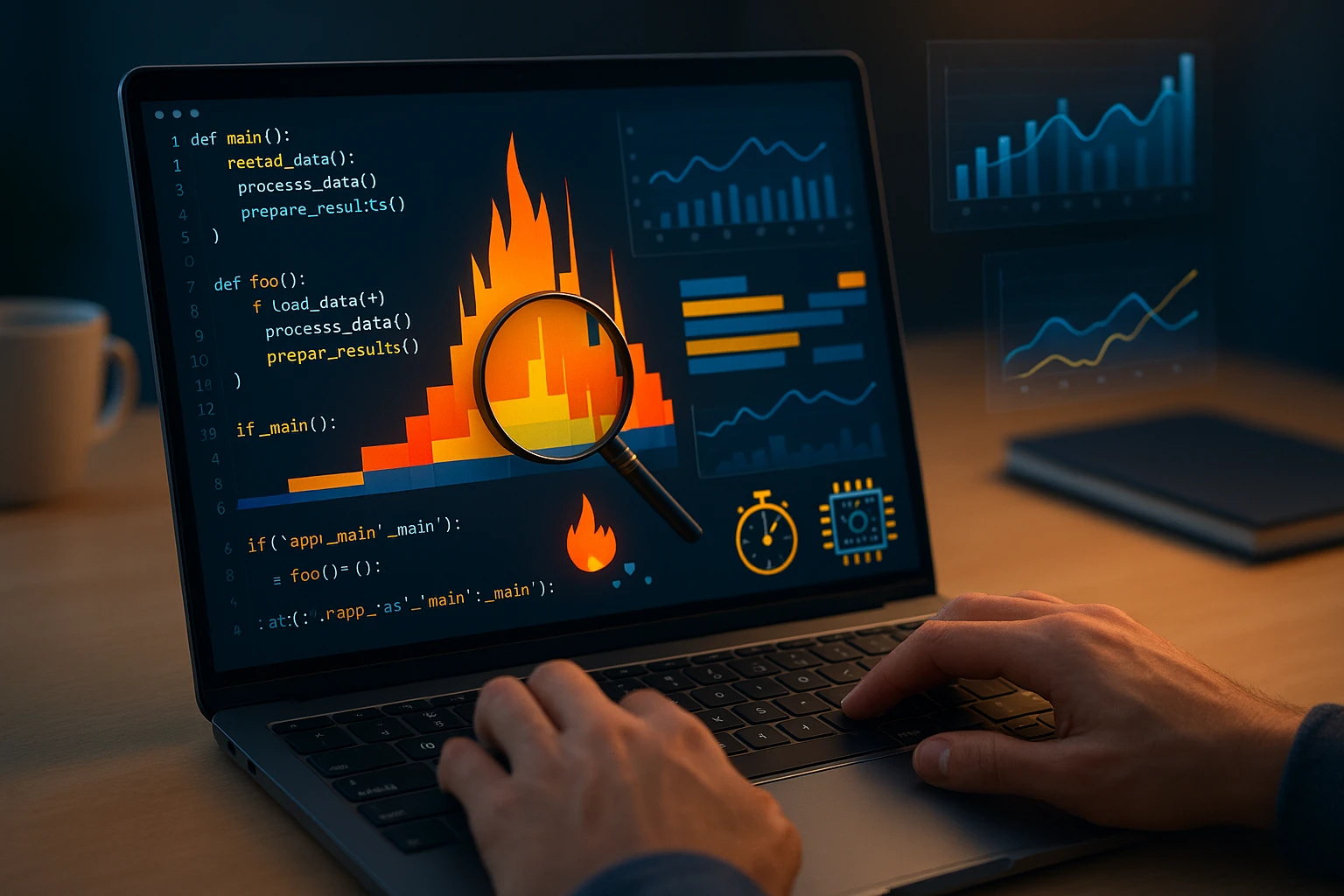
Visual profiling tools transform numeric data into intuitive representations. SnakeViz generates interactive flame graphs where function width represents time spent, making bottlenecks visually obvious. Installing and using SnakeViz requires minimal setup:
pip install snakeviz
snakeviz output.prof
The browser-based interface allows drilling down into call hierarchies, filtering noise, and comparing different profiling runs. Color coding highlights expensive operations, while zooming and panning help navigate complex call graphs. This visual approach often reveals patterns that numeric tables obscure, such as repeatedly calling expensive functions within loops.
"The difference between a slow application and a fast one often lies not in algorithmic complexity but in understanding where time actually disappears during execution."
Line-Level Profiling for Precision
Function-level profiling sometimes lacks the granularity needed to identify specific problematic lines. The line_profiler tool measures execution time for individual lines within decorated functions. This precision reveals which operations within a function consume the most time, guiding targeted optimizations without requiring extensive refactoring.
Using line_profiler involves decorating functions of interest with @profile and running the script through the line_profiler kernel:
pip install line_profiler
kernprof -l -v your_script.py
The output shows each line's execution count, time per hit, and percentage of total function time. This detailed view often exposes surprising results, such as seemingly innocuous operations that execute millions of times or simple expressions that trigger expensive implicit conversions. Armed with line-level data, developers can optimize precisely where it matters most.
Mastering Memory Profiling
Memory issues manifest differently than CPU bottlenecks, often causing gradual performance degradation or sudden crashes rather than obvious slowness. Python's automatic memory management hides allocation details, making memory problems harder to diagnose than timing issues. Memory profiling tools expose allocation patterns, identify leaks, and reveal opportunities to reduce memory footprint.
The memory_profiler package provides line-by-line memory consumption analysis similar to line_profiler's approach for timing. After installing the package and decorating target functions with @profile, running the script with memory profiler shows memory changes for each line:
pip install memory_profiler
python -m memory_profiler your_script.py
Output displays current memory usage and incremental changes per line, revealing which operations allocate large amounts of memory. This information proves invaluable when processing large datasets or implementing caching strategies, as it quantifies memory trade-offs against performance gains.
Detecting Memory Leaks and Retention Issues
Memory leaks occur when objects remain referenced after they're no longer needed, preventing garbage collection from reclaiming memory. In long-running applications, even small leaks compound over time, eventually exhausting available memory. The tracemalloc module, included in Python's standard library, tracks memory allocations and identifies where memory is allocated but not freed.
Enabling tracemalloc at program startup and taking snapshots at different points reveals memory growth patterns:
import tracemalloc

tracemalloc.start()
# ... run application code ...
snapshot = tracemalloc.take_snapshot()
top_stats = snapshot.statistics('lineno')

for stat in top_stats[:10]:
    print(stat)
Comparing snapshots before and after operations isolates which code sections allocate memory that persists. For complex applications, third-party tools like pympler and objgraph provide additional capabilities, including object reference tracking and visualization of object relationships that prevent garbage collection.
"Memory optimization isn't just about using less RAM—it's about understanding object lifecycles and ensuring resources are released when no longer needed."
Strategic Optimization Approaches
Profiling data guides optimization efforts, but knowing which strategies to apply requires understanding common performance patterns and their solutions. Algorithmic improvements often deliver the greatest gains, as reducing complexity from O(n²) to O(n log n) dramatically improves performance regardless of implementation details. However, algorithmic changes require careful consideration of correctness and maintainability.
Data structure selection profoundly impacts performance. Lists excel at sequential access but suffer for membership testing, while sets provide O(1) lookup at the cost of memory overhead. Dictionaries enable fast key-based retrieval but maintain insertion order as of Python 3.7, introducing slight overhead. Choosing appropriate structures based on access patterns often eliminates performance issues without algorithmic changes.
Leveraging Caching and Memoization
💾 Caching stores computation results to avoid repeating expensive operations. Python's functools.lru_cache decorator implements memoization with minimal code changes, automatically caching function results based on arguments. For pure functions that return consistent outputs given the same inputs, this technique can reduce execution time by orders of magnitude:
from functools import lru_cache

@lru_cache(maxsize=128)
def expensive_computation(n):
    # ... complex calculation ...
    return result
The maxsize parameter limits cache entries, preventing unbounded memory growth. For functions with many possible input combinations, consider whether caching provides net benefits, as cache lookup overhead and memory consumption might outweigh computation savings. Profiling before and after adding caching quantifies the actual impact.
Optimizing Loops and Iterations
⚡ Loops often dominate execution time in Python programs, making them prime optimization targets. Moving invariant computations outside loops prevents redundant work. List comprehensions and generator expressions typically execute faster than equivalent for loops with append operations. When processing large sequences, generators provide memory efficiency by producing values on demand rather than materializing entire collections.
Consider replacing:
result = []
for item in large_list:
    if condition(item):
        result.append(transform(item))
With a list comprehension:
result = [transform(item) for item in large_list if condition(item)]For memory-intensive operations, generator expressions defer computation:
result = (transform(item) for item in large_list if condition(item))This approach processes items one at a time, reducing peak memory usage when the full result list isn't needed simultaneously.
Utilizing Built-in Functions and Libraries
🔧 Python's built-in functions and standard library modules are implemented in C, executing significantly faster than equivalent Python code. Replacing manual implementations with built-ins often yields substantial performance improvements. Functions like sum(), min(), max(), and any() optimize common operations that might otherwise require explicit loops.
Third-party libraries like NumPy and Pandas provide vectorized operations that process entire arrays without Python-level loops. For numerical computations, these libraries can accelerate code by 10x to 100x compared to pure Python implementations. The trade-off involves additional dependencies and learning library-specific idioms, but for computation-heavy applications, the performance gains justify these costs.
| Optimization Strategy | Best For | Typical Impact | Implementation Effort |
|---|---|---|---|
| Algorithm improvement | CPU-bound operations with high complexity | High (10x-1000x) | High - requires algorithmic knowledge |
| Caching/memoization | Repeated computations with same inputs | Very high (100x-1000x) for cache hits | Low - single decorator in many cases |
| Data structure selection | Lookup-heavy operations | Medium to high (5x-50x) | Low to medium - refactoring required |
| Vectorization with NumPy | Numerical computations on arrays | High (10x-100x) | Medium - learning library APIs |
| Generator expressions | Memory-intensive sequential processing | Memory reduction, slight speed improvement | Low - syntax change only |
| Multiprocessing | CPU-bound parallel workloads | Near-linear with core count | High - concurrency complexity |
Advanced Profiling for Complex Scenarios
🔍 Real-world applications often involve concurrent execution, external service calls, or distributed architectures that complicate profiling. Standard profilers may not capture the full performance picture when threads, processes, or network latency dominate execution characteristics. Specialized tools and techniques address these complex scenarios.
For multithreaded applications, the py-spy profiler samples running processes without modifying code, making it suitable for production environments. Unlike cProfile, py-spy operates externally, attaching to running Python processes and periodically sampling their state. This approach introduces minimal overhead while capturing thread-level activity:
pip install py-spy
py-spy record -o profile.svg --pid 12345
The output flame graph visualizes time spent across all threads, revealing concurrency bottlenecks and thread contention issues that single-threaded profilers miss. For applications using asyncio, specialized profilers like aiomonitor provide insights into coroutine scheduling and event loop behavior.
Profiling Distributed Systems
Microservices and distributed applications require end-to-end tracing to understand performance across service boundaries. Application Performance Monitoring (APM) tools like Datadog, New Relic, and open-source alternatives like Jaeger implement distributed tracing, following requests through multiple services and identifying where latency accumulates.
Implementing distributed tracing involves instrumenting code to generate trace spans that capture timing information and propagate context across service calls. While more complex than profiling single applications, distributed tracing reveals system-level bottlenecks invisible to local profilers, such as network latency, service dependencies, or cascading failures.
"In distributed systems, the slowest component determines overall performance, making comprehensive tracing essential for identifying the actual bottleneck among many services."
Practical Optimization Workflow
Successful optimization follows a disciplined process that prevents wasted effort and ensures improvements actually benefit real-world usage. The workflow begins with defining performance goals—specific, measurable targets like "reduce API response time to under 200ms" or "process 10,000 records per second." Without clear goals, optimization becomes aimless, and it's impossible to determine when efforts have succeeded.
🎯 Next, establish realistic test scenarios that represent actual usage patterns. Profiling artificial workloads may reveal bottlenecks that don't occur in production or miss issues that only emerge with real data distributions. Load testing tools like locust or pytest-benchmark create reproducible test conditions for measuring performance consistently across optimization iterations.
After profiling identifies bottlenecks, prioritize optimizations based on expected impact versus implementation effort. The Pareto principle often applies—80% of performance gains come from optimizing 20% of the code. Focus first on the slowest operations revealed by profiling, as these deliver the greatest return on optimization investment. Document baseline measurements before making changes, enabling objective assessment of whether optimizations actually improve performance.
Iterative Improvement and Validation
Optimization proceeds iteratively, implementing one change at a time and measuring results before proceeding. This discipline prevents introducing bugs while making it clear which changes provide benefits. After each optimization, run profilers again to verify improvements and ensure changes didn't create new bottlenecks. Sometimes optimizing one area shifts the bottleneck elsewhere, requiring additional profiling to identify the next optimization target.
Regression testing ensures optimizations don't break functionality. Performance improvements mean nothing if they introduce bugs or change behavior. Comprehensive test suites catch unintended side effects, while profiling confirms that optimizations benefit realistic workloads rather than just synthetic benchmarks. Consider whether optimizations make code harder to maintain—sometimes modest performance gains aren't worth significantly increased complexity.
"The best optimization is the one that makes code both faster and simpler, but when forced to choose, maintainability usually matters more than marginal performance gains."
Common Pitfalls and How to Avoid Them
⚠️ Several common mistakes undermine optimization efforts, wasting time or introducing problems worse than the original performance issues. Optimizing without profiling tops the list—developers often assume they know where bottlenecks exist, but intuition frequently proves wrong. Code that "looks slow" may execute quickly, while innocent-appearing operations sometimes dominate execution time. Always profile before optimizing to ensure efforts target actual bottlenecks.
Micro-optimizations that save nanoseconds while ignoring algorithmic inefficiencies represent another frequent mistake. Replacing a for loop with a list comprehension might save milliseconds, but if the function uses an O(n²) algorithm when an O(n) solution exists, the real problem remains unaddressed. Focus on algorithmic improvements before micro-optimizations, as better algorithms often deliver far greater gains with less effort.
Ignoring real-world conditions leads to optimizations that help benchmarks but not actual usage. Profiling with small datasets may miss memory issues that only emerge at scale. Testing on powerful development machines can hide performance problems that affect users on modest hardware. Always profile under conditions that match production environments, including realistic data volumes, concurrent users, and resource constraints.
Balancing Performance and Code Quality
Optimization can make code harder to read and maintain, creating technical debt that burdens future development. Before implementing complex optimizations, consider whether simpler approaches might suffice. Sometimes adding hardware costs less than the engineering time required for extensive optimization. For many applications, "fast enough" beats "theoretically optimal but unmaintainable."
Document optimizations that sacrifice clarity for performance, explaining why the optimization was necessary and what the code accomplishes. Future maintainers need to understand both the purpose and the constraints that led to particular implementations. Comments should highlight assumptions about data characteristics or usage patterns that the optimization relies upon, warning developers if changes might invalidate those assumptions.
Tools and Resources for Ongoing Profiling
🛠️ Building proficiency with profiling tools requires hands-on practice and familiarity with multiple options. The Python Profilers documentation provides comprehensive guidance on built-in profiling modules. For memory profiling, the memory_profiler GitHub repository includes examples and best practices. SnakeViz and similar visualization tools offer tutorials that demonstrate interpreting flame graphs and call graphs effectively.
Integrated Development Environments (IDEs) increasingly incorporate profiling capabilities, making performance analysis more accessible. PyCharm Professional includes a built-in profiler with visual representations. Visual Studio Code extensions like Python Profiler add profiling support to the popular editor. These integrations reduce friction in the profiling workflow, encouraging developers to profile more frequently during development rather than treating it as a separate activity.
For teams, establishing profiling as a standard practice prevents performance regressions. Continuous integration pipelines can include performance tests that fail if execution time or memory usage exceeds thresholds. Tools like pytest-benchmark integrate performance testing into existing test suites, making it easy to track performance metrics over time and identify when changes degrade performance.
Measuring Success and Maintaining Performance
Optimization efforts should conclude with clear measurements demonstrating improvement against initial baselines. Document performance gains in terms of user-facing metrics like response time, throughput, or resource consumption. These concrete numbers justify the time invested in optimization and provide evidence for stakeholders about system improvements.
Performance maintenance requires ongoing vigilance, as new features and code changes can introduce regressions. Establishing performance budgets—limits on execution time or resource usage—helps maintain gains achieved through optimization. Automated monitoring alerts teams when performance degrades beyond acceptable thresholds, enabling rapid response before issues affect users.
Regular profiling sessions, even for well-performing applications, can identify gradual performance degradation before it becomes critical. Treating performance as an ongoing concern rather than a one-time effort ensures applications remain fast and efficient as they evolve. The profiling skills and workflows developed during optimization efforts pay dividends throughout the application lifecycle, enabling teams to maintain high performance standards consistently.
What is the best profiling tool for Python beginners?
Start with cProfile for time profiling and memory_profiler for memory analysis. Both are well-documented, widely used, and provide clear output that's relatively easy to interpret. As you gain experience, explore visualization tools like SnakeViz to make profiling data more intuitive. The timeit module is also excellent for quickly measuring small code snippets during development.
How much overhead do profilers add to execution time?
Deterministic profilers like cProfile typically add 2x to 10x overhead, meaning profiled code runs 2 to 10 times slower than normal. Statistical profilers like py-spy introduce minimal overhead, often less than 5%, making them suitable for production environments. Line-level profilers like line_profiler add more overhead than function-level profilers due to their granular tracking. Always account for profiler overhead when interpreting results.
Should I optimize for speed or memory first?
Profile both and optimize whichever creates the most significant problem for your application. CPU-bound applications benefit most from speed optimization, while applications processing large datasets or running in memory-constrained environments prioritize memory optimization. Sometimes these goals conflict—caching trades memory for speed, while streaming approaches trade speed for memory efficiency. Let profiling data and business requirements guide prioritization.
How do I profile code that runs in production?
Use low-overhead profilers like py-spy that attach to running processes without code modifications. Application Performance Monitoring (APM) tools provide continuous profiling with minimal impact. Sampling profilers that periodically capture stack traces introduce less overhead than deterministic profilers. Consider profiling a subset of requests or running profiling during off-peak hours to minimize user impact.
When should I stop optimizing?
Stop when performance meets defined goals and further optimization provides diminishing returns relative to implementation effort. If the application responds quickly enough for user needs, additional optimization may not justify the development time and potential maintenance burden. Focus optimization efforts where they deliver measurable business value, whether improved user experience, reduced infrastructure costs, or increased capacity.
Can profiling help with debugging as well as optimization?
Absolutely. Profiling often reveals unexpected behavior that indicates bugs, such as functions being called far more times than expected or operations taking much longer than they should. Memory profiling can expose leaks and retention issues that cause gradual degradation. While profilers aren't debugging tools per se, they provide insights into program behavior that frequently lead to bug discoveries.